.png?width=283&height=51&name=Admincontrol_Logo-RGB_Reverse%20(1).png "Admincontrol_Logo-RGB_Reverse (1)")
An electronic signature can be edited after a signature request has been sent.
Go to Signatures, and see Signature requests. Select the relevant document by clicking and left-click the Cogwheel or by clicking the Status for the relevant document, for example In Progress. Select the preferred action.

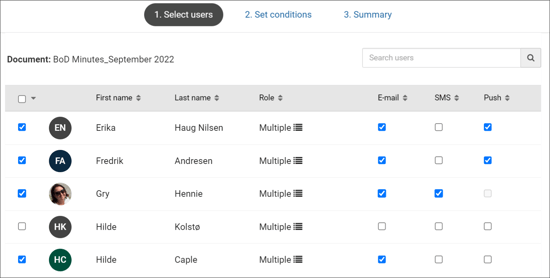
Add more users
You may add more users to the request after it has been created, and before the due date, using the same procedure as when users were added the first time.
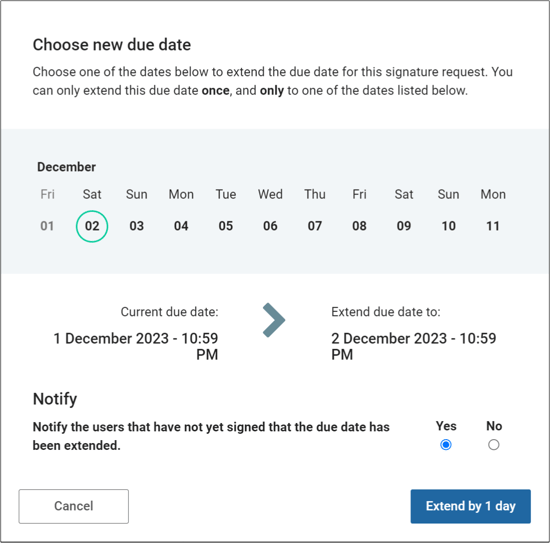
Extend the due date
You are able to extend the due date for a request if there are missing signatures when approaching the due date. You can even choose to notify the users that have not yet signed. The extension can be done once per signature request and for up to a maximum of 10 days. Note that you will need to make these changes before the original due date has passed.