.png?width=283&height=51&name=Admincontrol_Logo-RGB_Reverse%20(1).png "Admincontrol_Logo-RGB_Reverse (1)")
In the meetings overview, you can access all the meetings created in the portal, both previous and upcoming meetings.
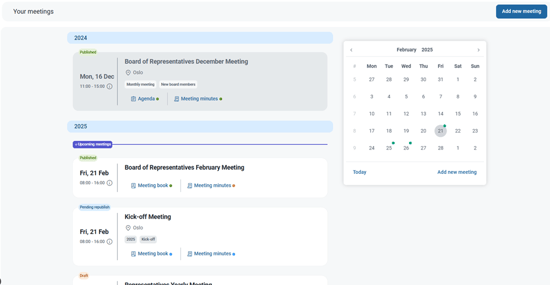
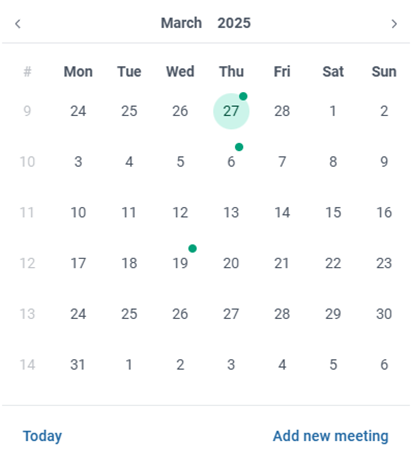
Scroll through the list or use the date picker to navigate to a wanted meeting. All dates with meetings are marked with a green dot so you can easily see them on the calendar.
Meeting Status
The status of a meeting is indicated by the tag above the meeting date. A meeting can have three statuses:
 |
Draft: The meeting has not yet been published and will only be visible in the meeting overview for administrators and content administrators. |
 |
Pending republish: The meeting has previously been published. After a change has been made in the meeting, the meeting needs to be republished before the meeting will be visible to all users. |
 |
Published: The meeting has been published and visible to all users. |
You can also access the meeting book and agenda directly from the overview utilizing the direct links available under the meeting in the meeting overview.

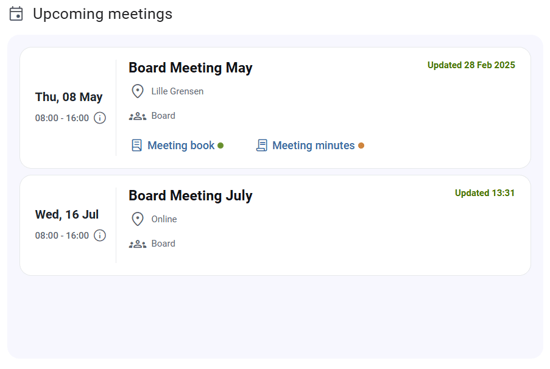
Upcoming meetings widget
You can also find an overview of all upcoming meetings on the Home page. This overview will show any upcoming meetings in all areas of use and give you the status (draft, published, pending republish), and you can easily navigate to access the documentation for a selected meeting through the Show details button.