.png?width=283&height=51&name=Admincontrol_Logo-RGB_Reverse%20(1).png "Admincontrol_Logo-RGB_Reverse (1)")
On the settings page you can find personal settings, settings to manage users and advanced settings. The settings under My profile are your personal settings which are available for all users, while the other options are only available to an administrator.
You can read more about personal settings here.
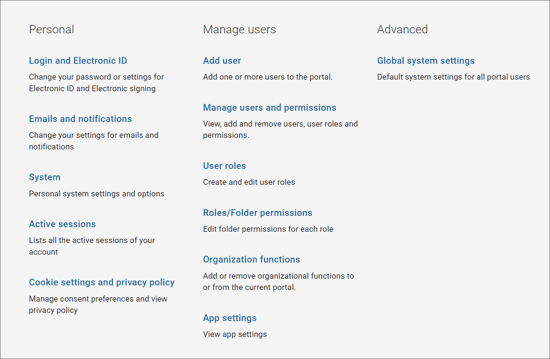
Manage users settings
Under Manage users you can find the following setting pages:
- Add user
- Manage users and permissions
- User roles
- Roles/Folder permissions
- Organization functions
- App settings
To read more about each setting page, please click the links to go to the article for each of the setting pages.
Advanced settings
Under advanced you can find Global system settings where you can change the portal logo, portal icon, portal banner and profile picture setting in the portal. You can read more about how to add a portal icon and logo here.