.png?width=283&height=51&name=Admincontrol_Logo-RGB_Reverse%20(1).png "Admincontrol_Logo-RGB_Reverse (1)")
Begin a New Conversation
To start a new conversation using the web application, follow these steps:
- Navigate to Messages: Go to the 'Messages' section in the application.
- Compose a New Message**: Click on 'Compose New Message'.
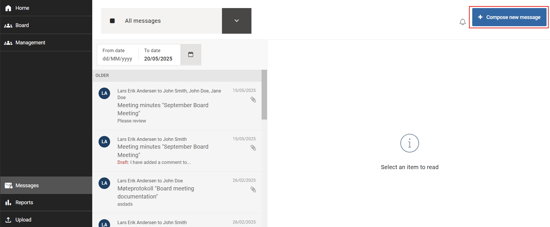
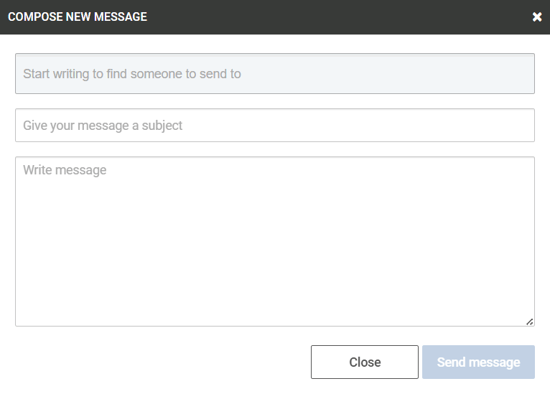
Selecting Recipients
Choose Your Recipients: Click in the 'Start writing…' field to select your recipients. You can send messages to a group or individual users, but keep in mind that only users who are part of the same user group(s) as you will be available.
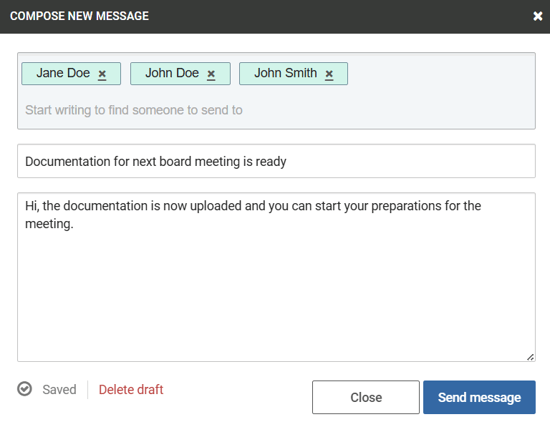
Select User Groups or Individuals: Click on the user group or individual names to add them to your recipients list.
Writing and Sending Your Message
Add Necessary Details: Enter the subject and the body of your message.
Send Your Message: Remember that both the subject and message body are required fields. The 'Send Message' button will remain disabled until both fields are filled.
Managing Drafts
Automatic Draft Saving: While you are composing your message, it will automatically be saved as a draft.
Locating Your Drafts: If you need to pause your work, the draft message can be found in the inbox marked with 'Draft'. Use the draft filtering option for easy access.
Deleting a Draft: If you wish to discard your draft, simply click 'Delete Draft' in the bottom left corner.