.png?width=283&height=51&name=Admincontrol_Logo-RGB_Reverse%20(1).png "Admincontrol_Logo-RGB_Reverse (1)")
Welcome to the new and improved dashboard of the app! Here, you’ll find a comprehensive summary of all your available portals, making it easier than ever to stay organized.
Navigating Your Portals
Accessing Content Across Portals
With just a click on any item within the dashboard, you can effortlessly navigate to content across your portals. This streamlined access ensures you can find what you need quickly and efficiently.
Viewing Meeting Details
Selecting an upcoming meeting gives you the opportunity to view and download all associated meeting content, helping you prepare ahead of time and stay informed.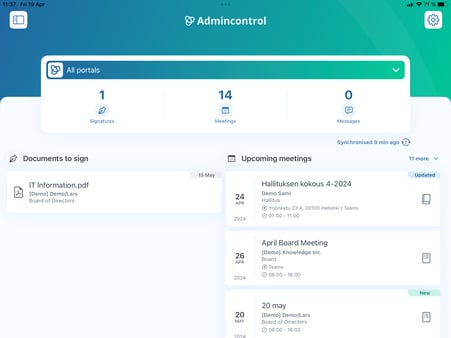
Portal-Specific Content
Selecting a Portal
Once you choose a portal from the list, you'll be presented with content specific to that portal, allowing you to focus on the details that matter most.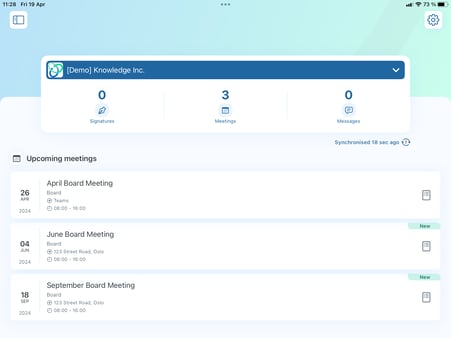
Enhanced View on iPad
Using the Side Panel
When browsing inside a portal on your iPad, you can make use of the side panel to access different areas. This feature provides easy navigation and a more organized viewing experience.
.png?width=451&height=338&name=mceclip0%20(1).png)