.png?width=283&height=51&name=Admincontrol_Logo-RGB_Reverse%20(1).png "Admincontrol_Logo-RGB_Reverse (1)")
As a buyer, you can add questions to specific folders.
Note: All questions are linked to the folder where they are added. Ensure you add your questions to the correct folders, as questions cannot be deleted once added.
Steps to Add a Question
-
Navigate to the Relevant Folder:
Go to the folder where you want to add a question. -
Click the Add Question Button:
Click the Add question button next to the More actions button.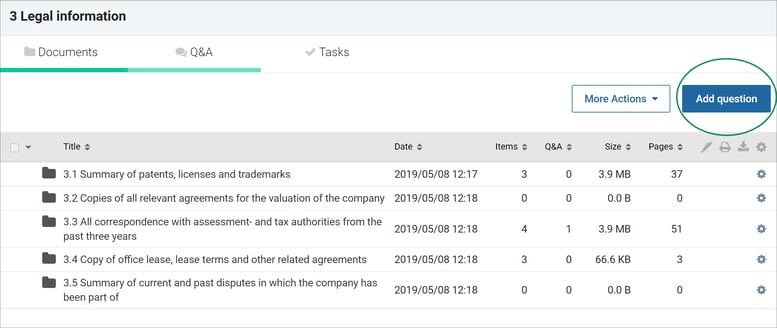
-
Enter Question Details:
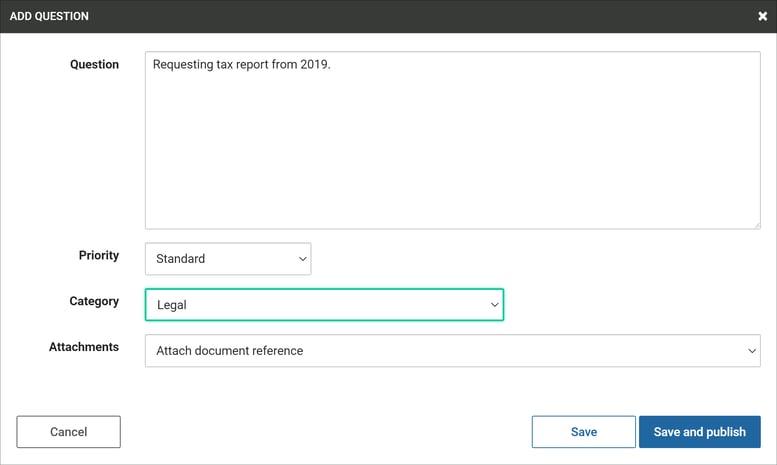
- Type your question.
- Select the priority and category (if applicable).
- Optionally add a document from the relevant folder as an attachment
-
Save and Publish:
Click Save and publish to add your question.
Viewing Question Status
After posting a question, you can view its status in the overview table.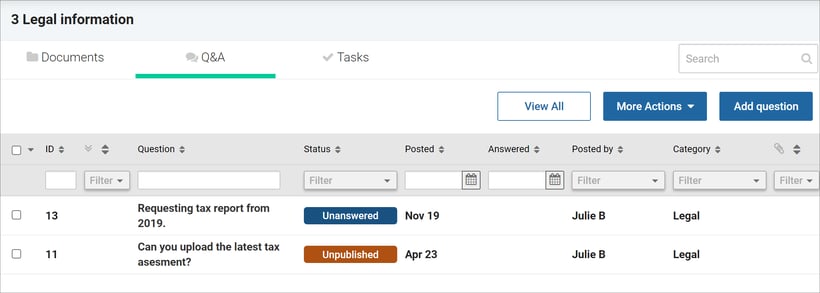
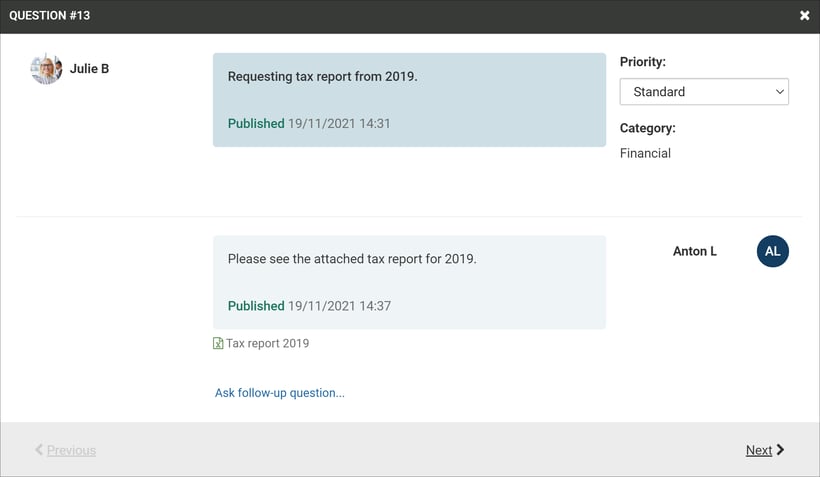
Follow-Up Questions
- Follow-Up Feature: If follow-up questions are enabled in the data room, you may have the opportunity to ask a follow-up question after the initial question has been answered.