.png?width=283&height=51&name=Admincontrol_Logo-RGB_Reverse%20(1).png "Admincontrol_Logo-RGB_Reverse (1)")
You can easily export the entire Q&A list to an Excel file for thorough analysis and record-keeping.
How to Export to Excel
1. Navigate to the Q&A Tab
Go to More Actions within the Q&A tab.
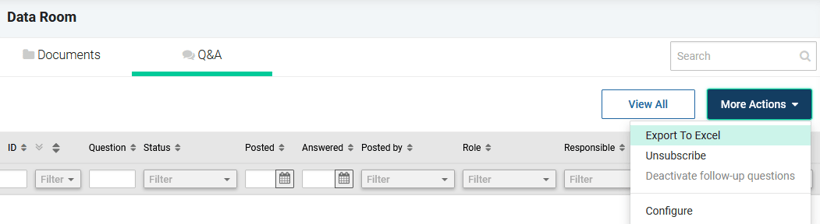
2. Export Data
Select Export to Excel.
An Excel document containing all questions and answers will be downloaded to your computer, enabling convenient offline access and analysis.
