.png?width=283&height=51&name=Admincontrol_Logo-RGB_Reverse%20(1).png "Admincontrol_Logo-RGB_Reverse (1)")
Customize your view of the questions list using various filtering and sorting options to streamline your workflow.
Customizing Display Columns
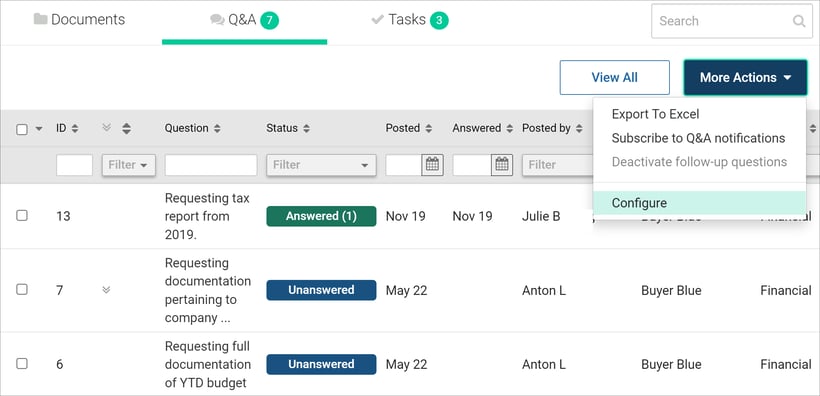
1. Open Settings:
Navigate to More Actions and select Configure.
2. Select Columns:
Check the boxes next to the columns you wish to display.
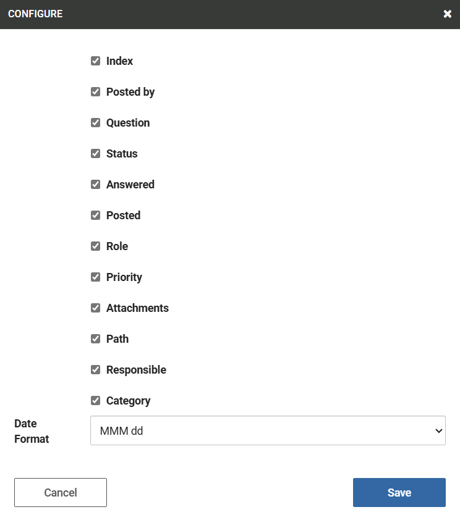
3. Save Changes:
Click Save to apply your customization.
Sorting and Filtering Questions
- Sort Questions:
Click on column headers (e.g., ID, Question, Status) to sort the list by that column.
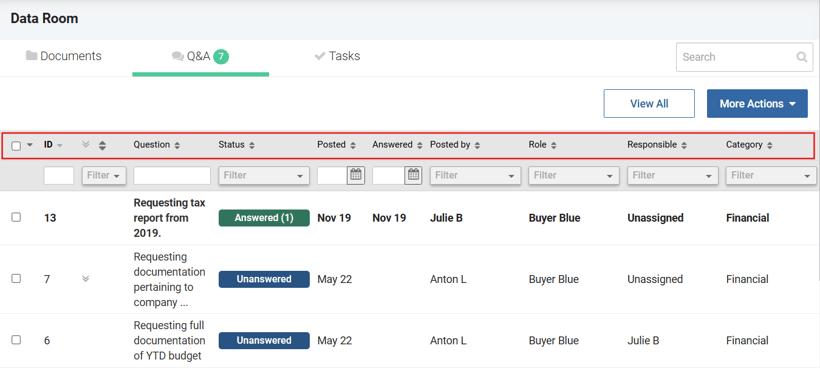
- Filter Questions:
Use the filter boxes located below each column header to refine the list according to your needs.