.png?width=283&height=51&name=Admincontrol_Logo-RGB_Reverse%20(1).png "Admincontrol_Logo-RGB_Reverse (1)")
The Q&A module ensures confidentiality and manages interactions between buyers and sellers based on the following principles:
- Folder-Specific Questions: Each question is linked to a specific folder.
- Confidentiality for Buyers: Different buyer groups cannot view each other's questions and answers.
- Seller Visibility: Seller-side users have the ability to see all questions from every buyer group.
- Roles in Q&A: Buyers can submit questions, while sellers are responsible for providing answers.
Answering a Question
In the Q&A tab, you’ll find a comprehensive list of questions submitted by buyers. Click on a question to provide your answer.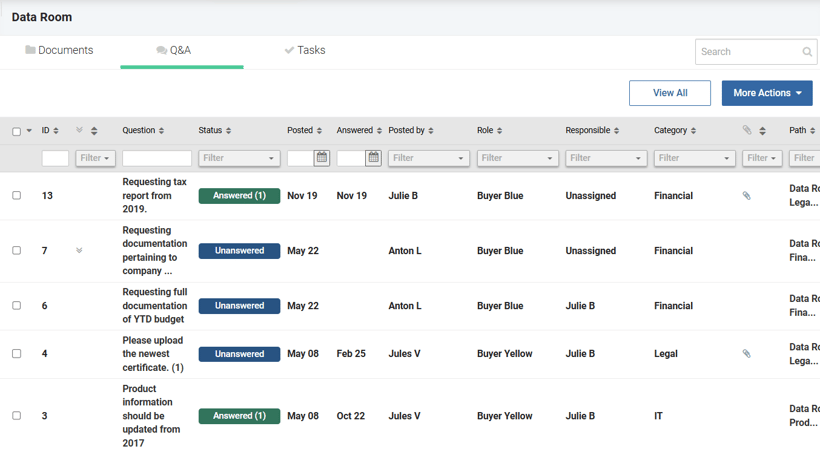
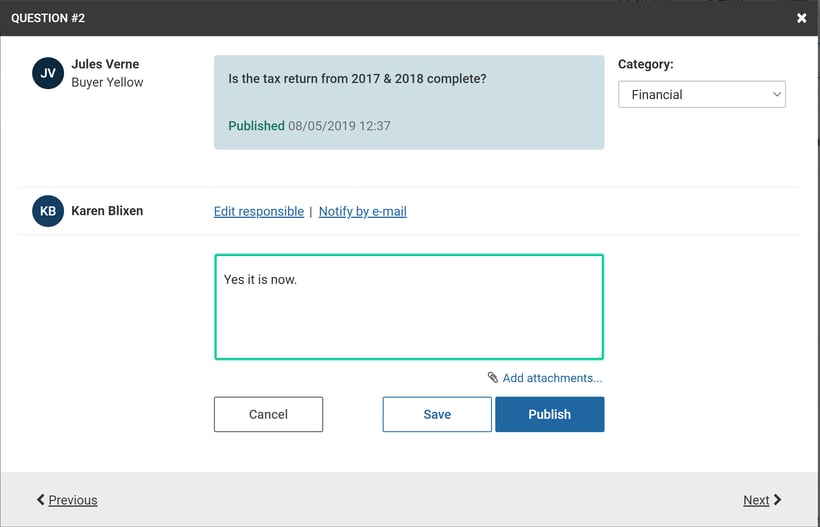
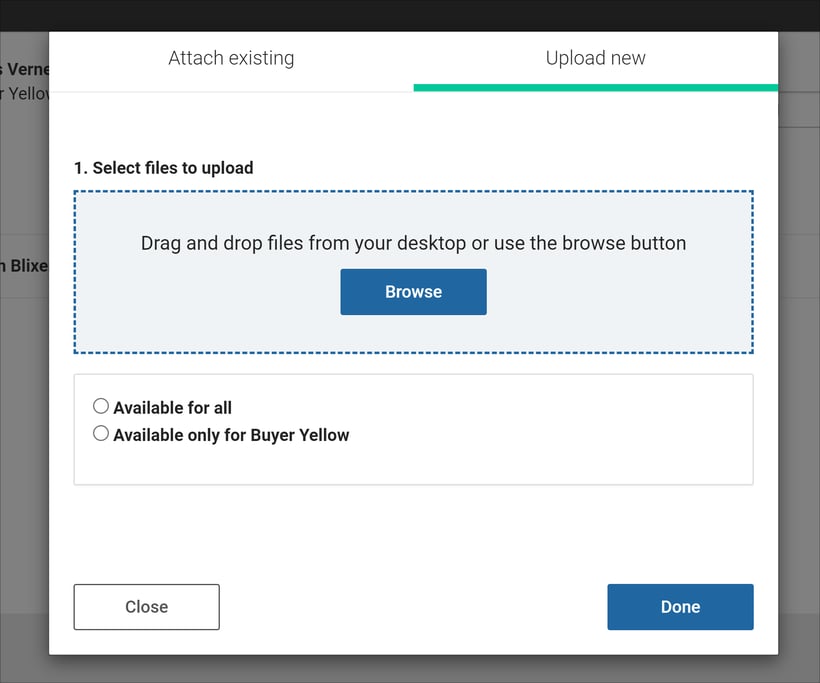
- Adding Attachments: You can attach files to your answer if needed. Select an existing attachment from the relevant folder or upload a new one.
When uploading a new attachment, decide whether it should be available to all buyer groups or only to the group that asked the question.
Managing Follow-Up Questions
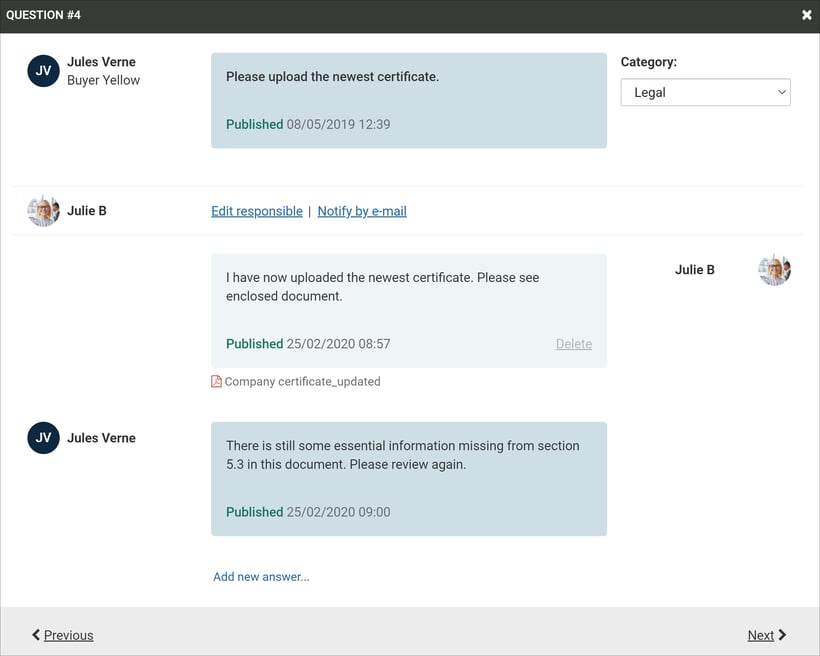
Once an answer is posted by the seller, buyers have the opportunity to ask follow-up questions related to the initial query.
- Status Update: If a follow-up question is asked, the status changes to "Unanswered," prompting a further response from the seller.
- Limiting Follow-Ups: The portal administrator has the option to deactivate follow-up questions if necessary.