.png?width=283&height=51&name=Admincontrol_Logo-RGB_Reverse%20(1).png "Admincontrol_Logo-RGB_Reverse (1)")
Enable Q&A categories
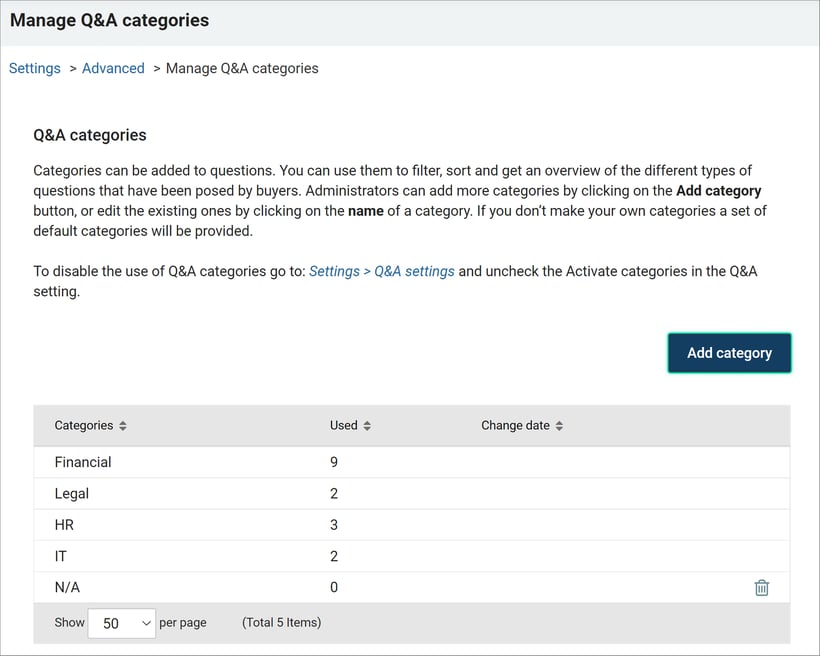
Categories help filter, sort, and overview different types of buyer questions. If no custom categories are created, default categories are provided.
To enable categories:
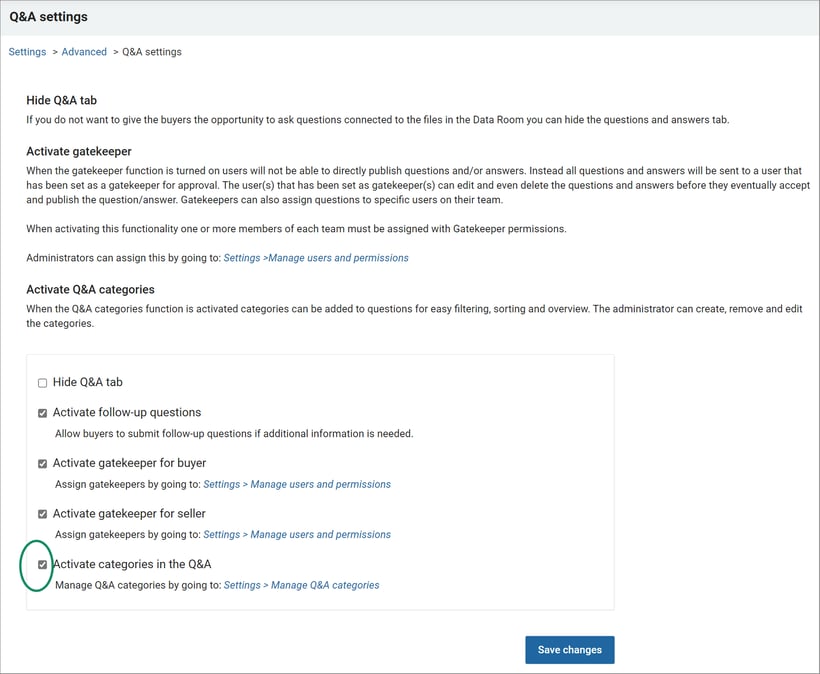
- Go to Settings > Manage Q&A Categories > Activate categories in the Q&A.
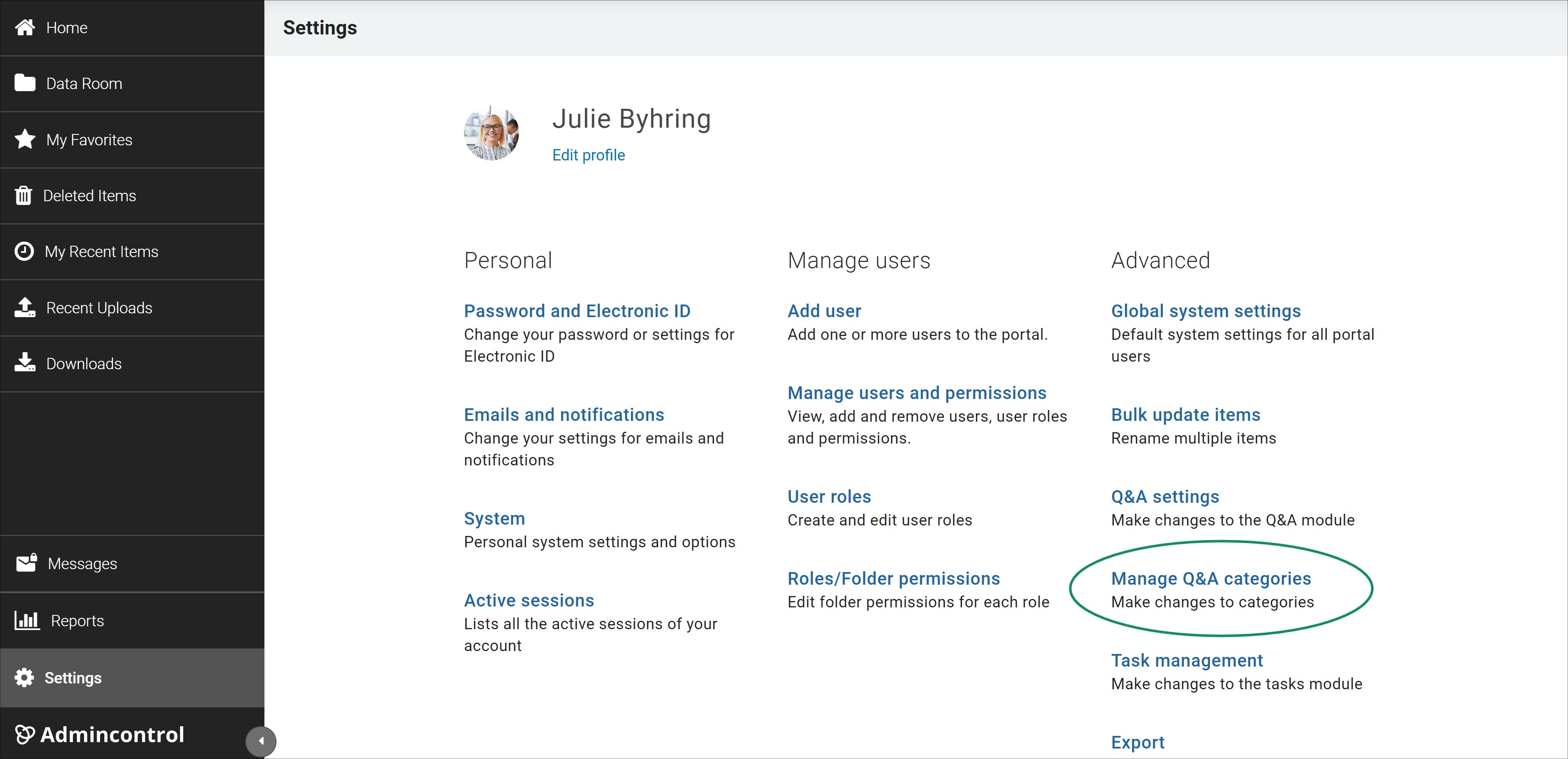
- Add new categories by clicking Add Category or edit existing ones by clicking the category name.
Disable Q&A categories
To disable Q&A categories:
- Go to Settings > Q&A Settings.
- Uncheck Activate Categories in Q&A Settings.