.png?width=283&height=51&name=Admincontrol_Logo-RGB_Reverse%20(1).png "Admincontrol_Logo-RGB_Reverse (1)")
In the data room, you can choose to subscribe to new content.
Subscribing to new documents
Go to a folder and select More actions>Subscribe to document notifications.
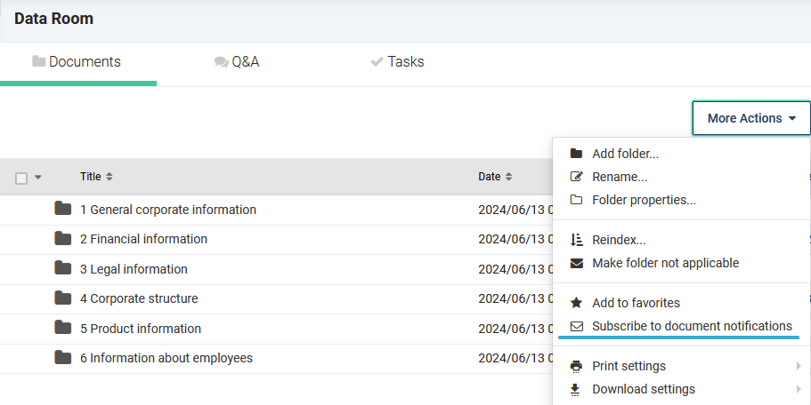
If you do this on the root-folder (Data Room-folder), you will subscribe to content uploaded in all sub-folders in the data room.
Subscribe to Q&A
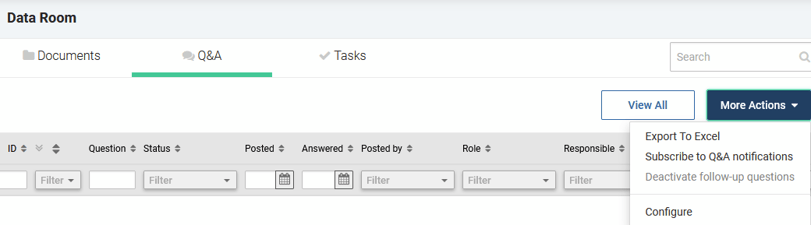
Go to the Q&A tab and select More actions>Subscribe to Q&A notifications.
Subscribe to Tasks
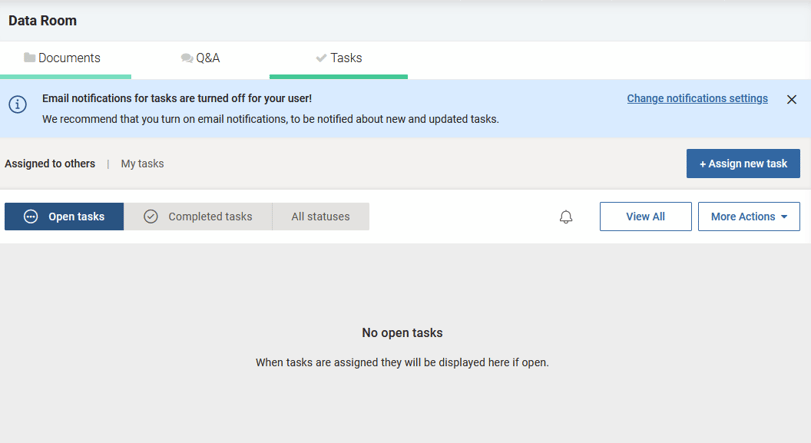
Go to Task tab and select "change notification settings". This message appears if task notification is not enabled. If you do not see this message, you have enabled task subscription
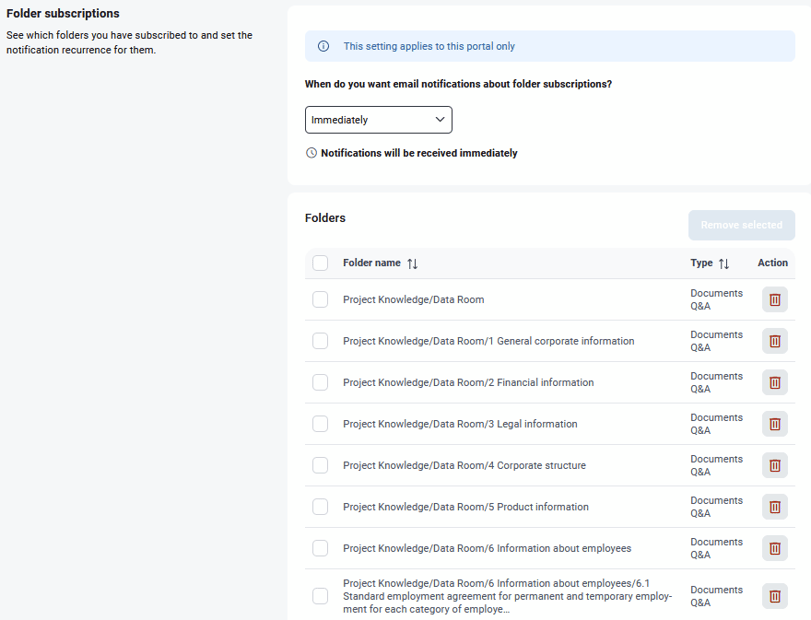
Under My Profile>Emails and notifications, you can set recurrence of these notifications to your preference.