.png?width=283&height=51&name=Admincontrol_Logo-RGB_Reverse%20(1).png "Admincontrol_Logo-RGB_Reverse (1)")
How to subscribe to Q&A notifications
- Click the Q&A tab.
- Select More actions.
- Choose Subscribe to Q&A notifications.
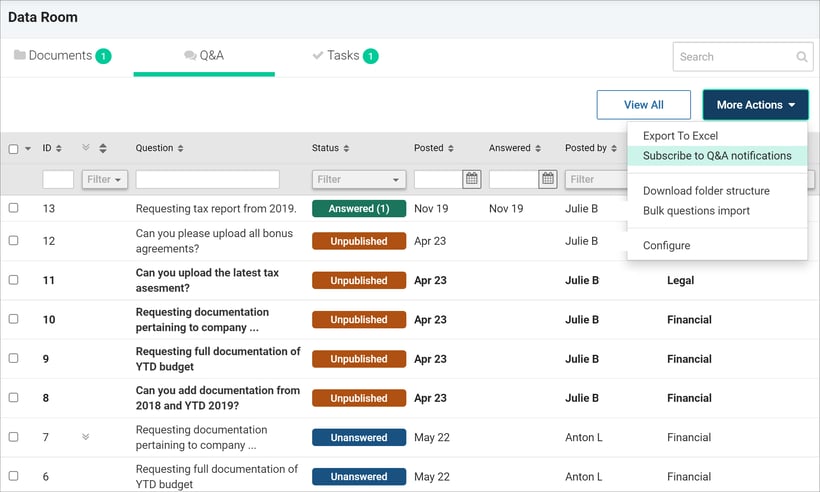
If you do this on the root-folder (Data Room-folder), you will subscribe to Q&A in all sub-folders in the data room.
Manage your email subscriptions:
- Click My profile in the top right corner.
- Select Emails and Notifications
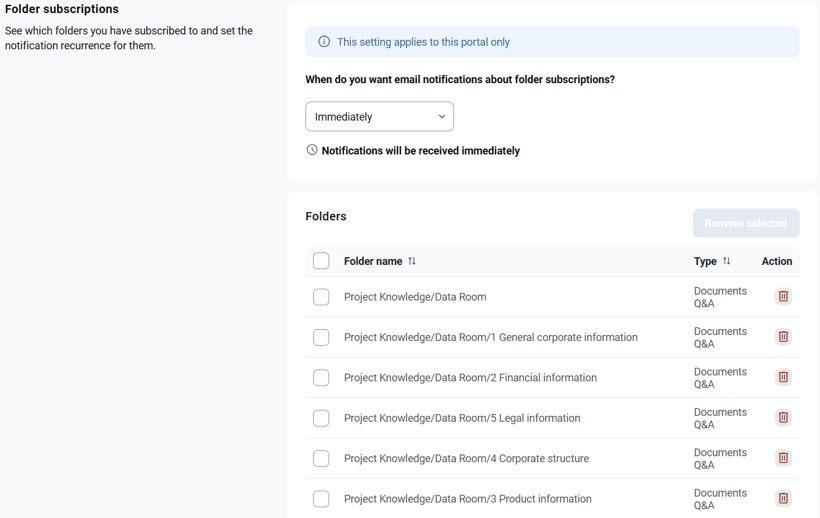
Here, you can set the notification frequency and remove any folders you no longer wish to subscribe to.