
 Boards & Governance
 M&A & Transactions




.png)





.png)
 Board Management Software
 Customer stories
 Insights
 Events & Webinars
 Security & Privacy
 Product updates

.jpg)




-Jul-03-2026-06-32-50-9626-AM.png)
 Login
Login
June 2022
Board portal release notes – June 2022. This release redesigns the meeting list so that the next meeting is always in focus, adds a calendar widget for jumping between meetings, and lets you add an introduction to the agenda.
A new and improved meeting list!
To make it easier to navigate in the meeting list in your portal we have build a new layout of the list and enabled support for scrolling between meetings.
When accessing the meetings tab your first upcoming meeting will be in focus, and presented at the top of the list. You then can scroll down for more of your upcoming meetings or scroll up for access to your past meetings.
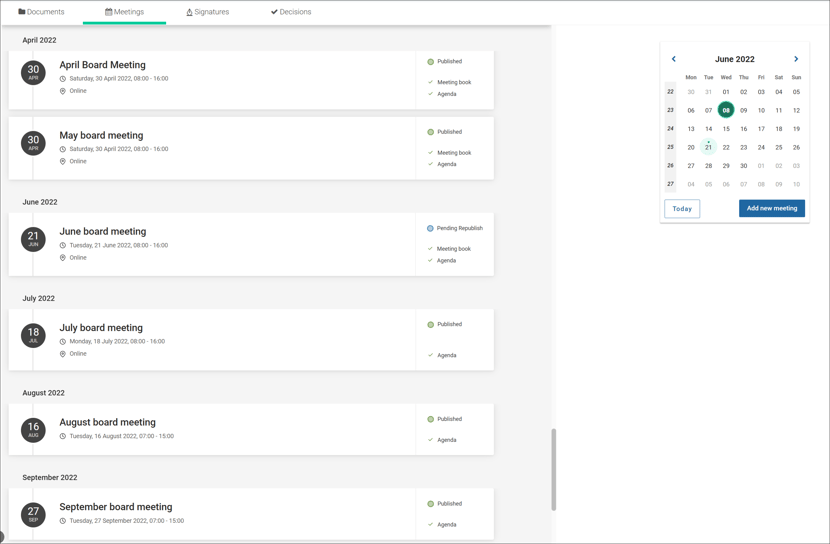
In addition you can access any past or upcoming meeting by using the calendar widget. When clicking on a specific meetings date the list will be sorted with the selected meeting in focus. You will also find a function to go back to today's date in the calnedar widget.
The possibility to add new meetings for administrators is preserved as before.
Introduction to your agenda
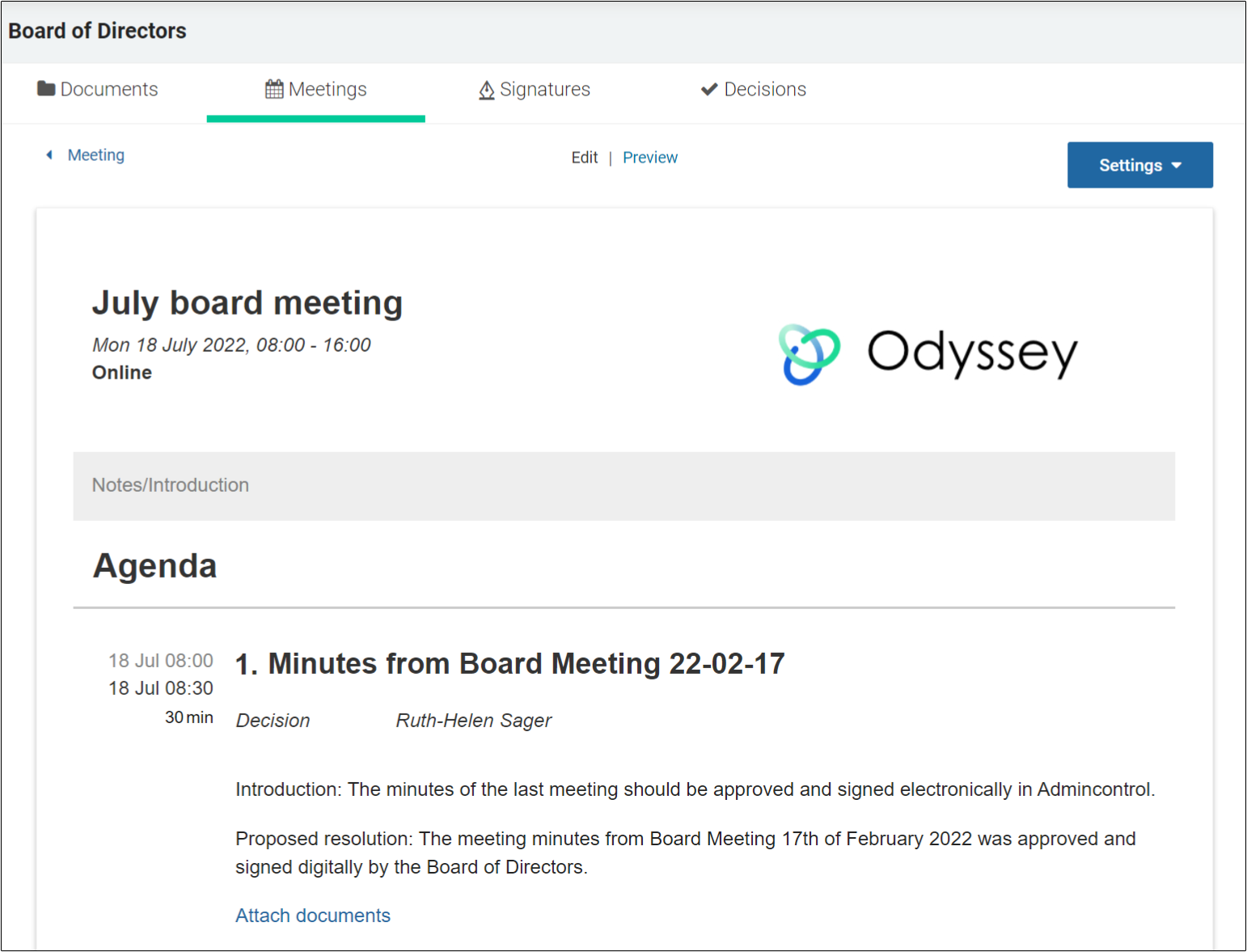
We have added a section where you can add relevant notes or an introduction to your agenda. This is an optional field and can be found above the title of the agenda.
What this means for you
- Next meeting first. When you open the Meetings tab, your first upcoming meeting is shown at the top. Scroll down for later meetings and up for past meetings, without switching views.
- Calendar widget. Click a date in the calendar to bring that meeting into focus, and use the "today" function to return to the current date. This is the fastest way to find minutes from a meeting last year.
- Administrators. Adding new meetings works as before; the button is in the same place.
- Agenda introduction. An optional field above the agenda title lets the secretary add notes or an introduction, for example practical information about the venue, dial-in details or the purpose of an extraordinary meeting. Leave it empty if you do not need it.
Applies to: Board portal web application.
Related help articles: Meetings overview, Create a new meeting, Build your digital agenda, Preparing for a meeting.