
 Boards & Governance
 M&A & Transactions

.png)
.png)
 Board Management Software
 Customer stories
 Insights
 Events & Webinars
 Security & Privacy
 Product updates

.jpg)



-Jul-03-2026-06-32-50-9626-AM.png)
 Login
Login
Virtual Data Room Features
Everything You Need to Run Due Diligence
From first document upload to final audit trail, Admincontrol gives buy-side and sell-side teams full control of the deal.
Setup and Structure
Get Your Data Room Ready in Minutes
Start with a structure that's already built for due diligence. Templates, drag-and-drop uploads, and smart indexing mean you're up and running.
Customisable Templates
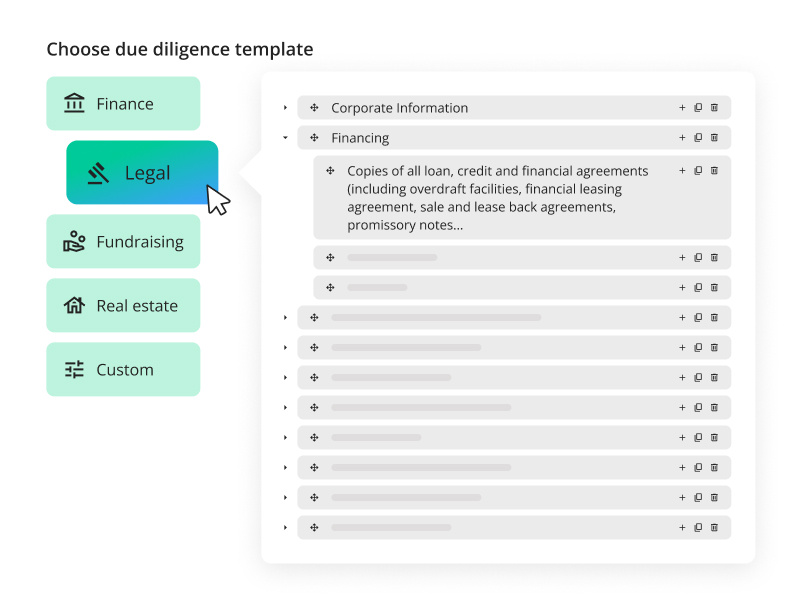
Start from pre-built folder structures based on best-practice due diligence workflows. Adapt them to your deal or use them as-is.
Indexing
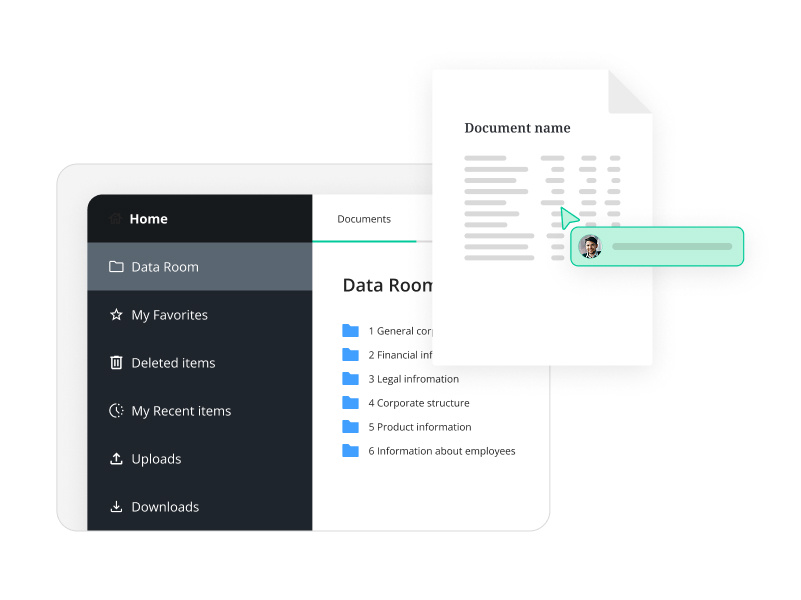
Create a clear, numbered index of your data room from the outset. Buyers navigate confidently, and you maintain control over what lives where.
Bulk Uploads and Downloads
Upload entire folder structures in one go using drag and drop. When downloading, select exactly which folders to include and customise the download name so different versions are clearly identifiable.
Document Management
Organise, Control, and Protect Every Document
Keep sensitive materials secure and accessible to the right people. Find what you need fast. Remove what shouldn't be seen.
AI Powered Search
Combines vector search and advanced keyword matching to surface the most relevant documents first. OCR scanning now converts scanned documents, image files, and image-based PDFs into fully searchable text.
Full-Text Search
Search across all documents in the data room by keyword. Locate specific clauses, figures, or terms without manually opening files.
Folder Status
Track upload progress across the data room. Status and comments are visible in the Data Room Index report, giving your team a shared view of what's ready and what's outstanding.
Filter View
Filter documents by file type or name in the documents area. Admins can also control print and download permissions by file type in bulk.
Redacting Documents
Built-in redaction tool offers a simple and efficient solution for removing text, images, and graphics.
Watermarks
Automatically apply watermarks to documents identifying the viewer. Deters unauthorised sharing and creates an audit trail if documents are leaked.
Export Data Room
Export the entire data room including the full Q&A history at deal close. A complete, structured record ready for post-transaction use or archiving.
Q&A and Collaboration
Manage Buyer Questions Without Losing Control
Keep questions structured, responses tracked, and the right people accountable so nothing falls through the gaps.
Advanced Q&A
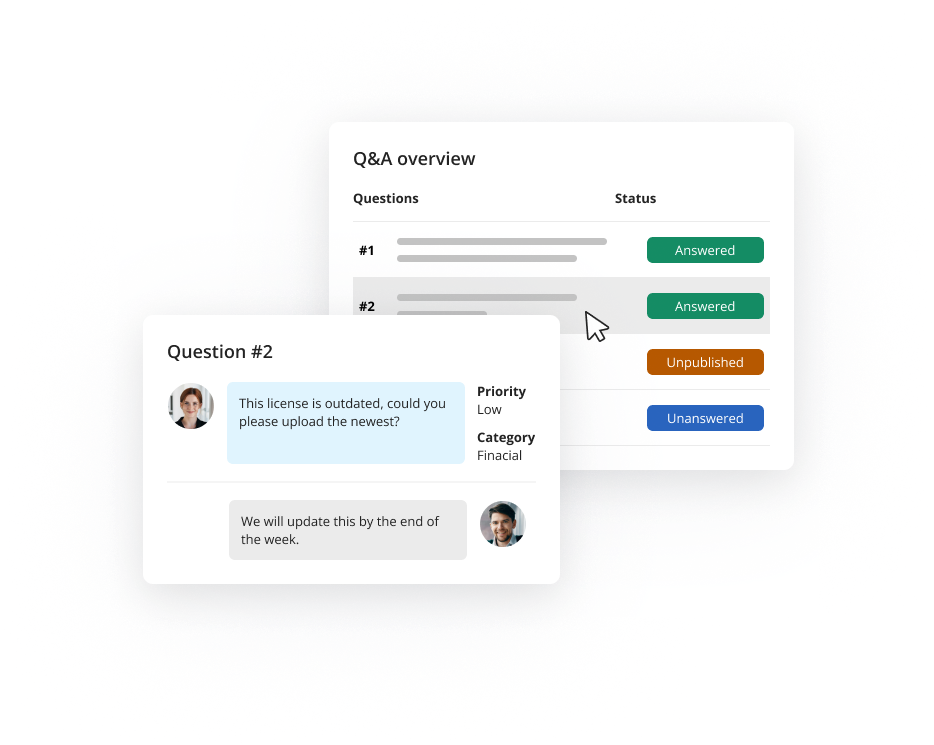
A dedicated Q&A module with gatekeeper functionality. Questions from buyers are routed to the right subject-matter experts, reviewed before responses go out, and logged throughout. Every answer is documented and traceable.
Secure Messaging
Encrypted communication within your deal team, with gatekeeper controls. Sensitive conversations stay inside the platform .
Task Management
Create and assign upload or review tasks to team members. Everyone knows what they're responsible for, and progress is visible.
Reporting & Insights
Track Activity and Understand Buyer Engagement
Know exactly who has accessed what and when. Use engagement data to prioritise your responses and manage multiple bidders with confidence.
Activity Reports
Monitor document access, login history, and unread materials across all user groups. Get a full picture of how buyers are engaging with your data room at any point in the process.
Buyer Engagement Insights
See which documents and sections attract the most attention. Identify where buyers are spending time, and address concerns proactively before they surface as questions.
Full Deal Export
Export the complete data room and Q&A log at close. The full audit trail is preserved in a structured format — useful for post-deal integration, legal review, or regulatory requirements.
Productivity
Work Efficiently Across Every Stage of the Deal
M&A teams work across borders, time zones, and deadlines. Admincontrol keeps everyone aligned without the back-and-forth.
Dashboard
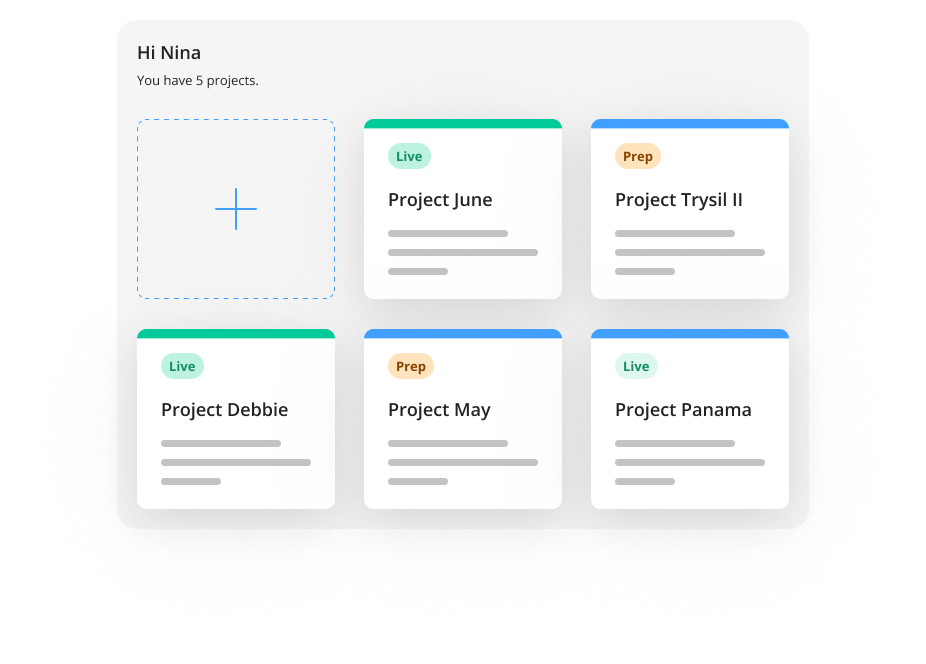
The home page provides an overview of important tasks, such as new documents since the last login, overview of Q&A status and provides administrators with fullc control.
8 Languages
Each user sets their preferred language. English, Dutch, French, German, Norwegian, Swedish, Danish, and Finnish are all supported.
Security & Access
Built for Transactions That Can't Afford Shortcuts
User Access Control
Admins control exactly who sees what at folder and document level.
Single Sign-On (SSO)
Sign in with your existing company account via Microsoft Entra ID. No separate credentials to manage.
Two-Factor Authentication
SMS-based 2FA adds a second layer of security for all users.