Boards & Governance
 M&A & Transactions




.png)





.png)
 Board Management Software
 Customer stories
 Insights
 Events & Webinars
 Security & Privacy
 Product updates

.jpg)




-Jul-03-2026-06-32-50-9626-AM.png)
 Login
Login
Efficient message management in your inbox is streamlined with a date filter and message selection options.
Using Filters to Find Messages
Filter Options:
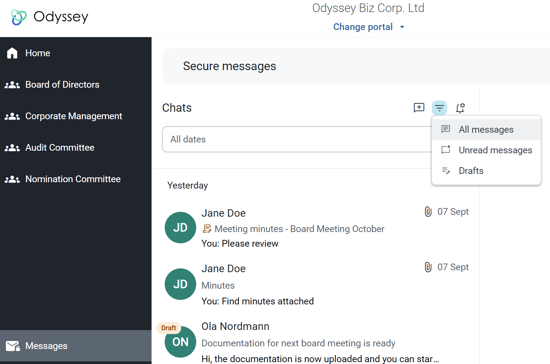
- Your inbox includes a date and selection filter. To filer between All Messages, Unread Messages, or Drafts, click the filter icon on the top menu.
Date Selection:
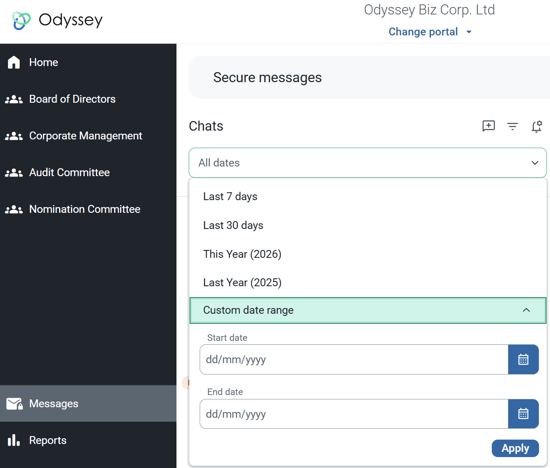
- To locate specific messages, use the date filter to define a range. This function displays messages with any activity—such as new messages or replies to ongoing conversations—within the selected time frame.
Example
If you're searching for messages related to a board meeting conducted in September, you can simply select the date range to retrieve all relevant messages and replies.