Boards & Governance
 M&A & Transactions




.png)





.png)
 Board Management Software
 Customer stories
 Insights
 Events & Webinars
 Security & Privacy
 Product updates

.jpg)




-Jul-03-2026-06-32-50-9626-AM.png)
 Login
Login
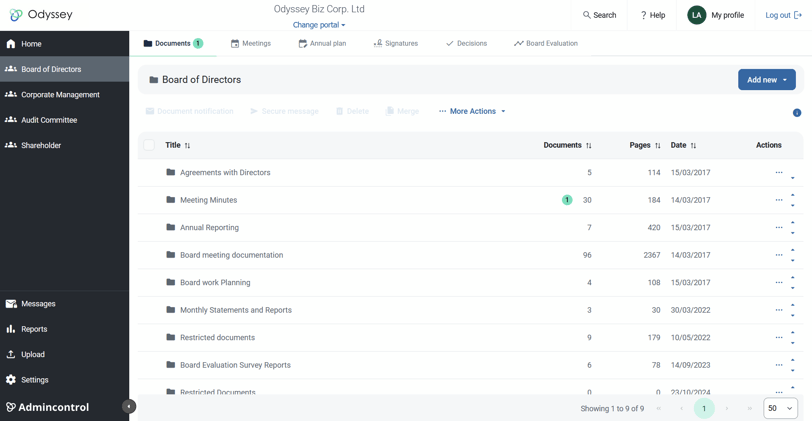
Clicking on one of the tabs in the left column gives you an overview of the folder structure and documents. Here you can add documents, meetings, check folder access, send notifications and more. To access the options for the folder you have entered, select More actions.
Upload documents
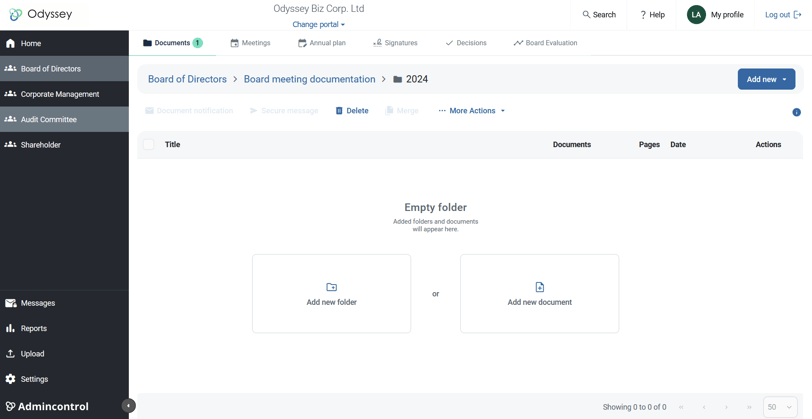
To upload new documents, click on the Add new > Document. If there is currently no files located in the folder, you can also click on "Add new document" inside the folder
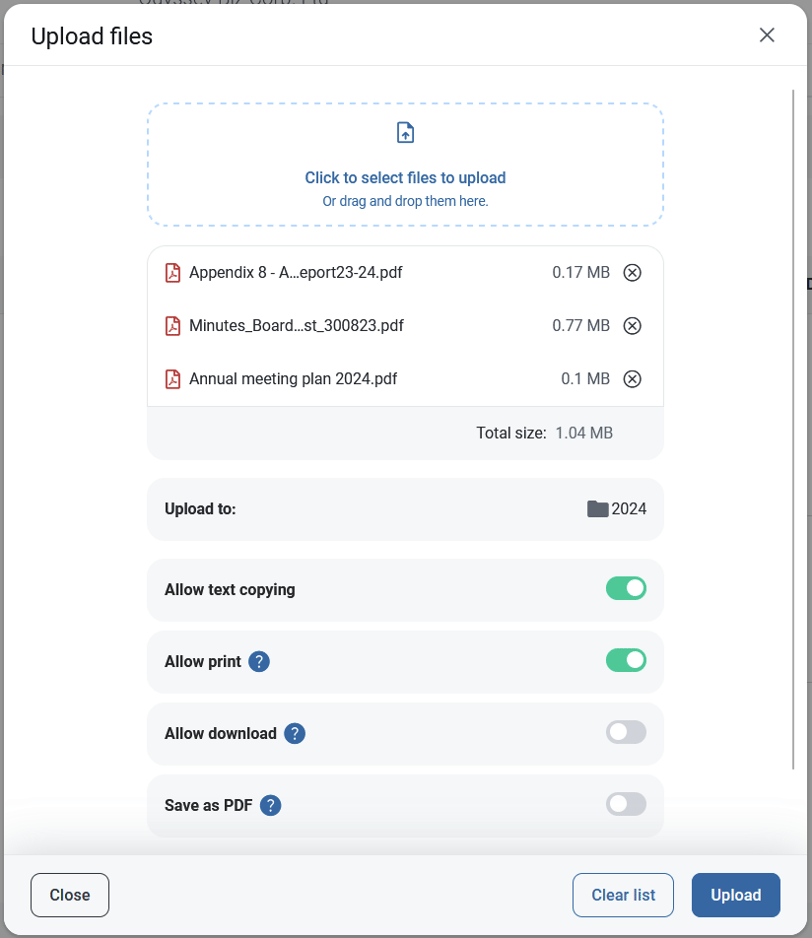
In the upload window, you can select the documents you wish to upload using drag and drop or click to select files to upload to open Browse. Once the documents have been selected, they will appear in a list and may be uploaded all at once using Upload.
Allow print and text copying is chosen by default. You also have the option to allow download. (Download and print settings can also be changed later under document properties).
Microsoft Office documents are supported for converting. Please note that deviations may occur when you convert documents to PDF using the converter supplied.
After you press upload. the files will now be transferred to your folder in Admincontrol. While the upload is processing, a progress window will appear in the bottom right corner. You may keep on working while this is ongoing.
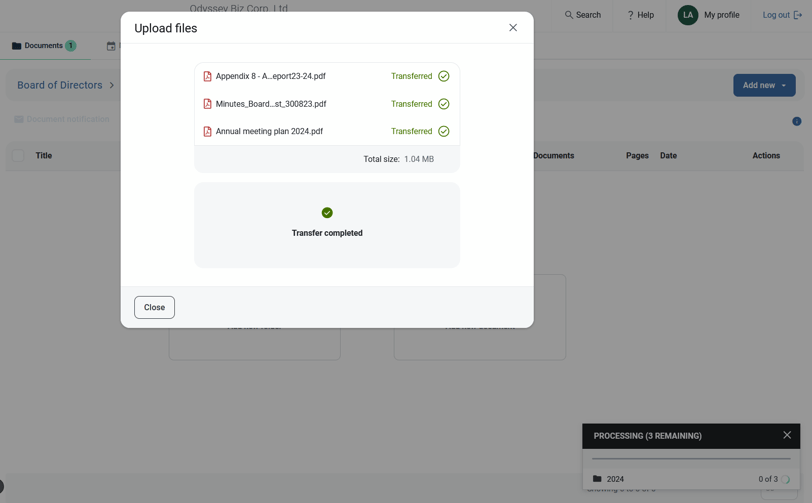
Once the process is completed, your documents will appear in the documents view with a "new" tag when uploaded.
Send document notifications
The option for sending document notifications is available from the top-menu when you select a document, or can be access via More actions
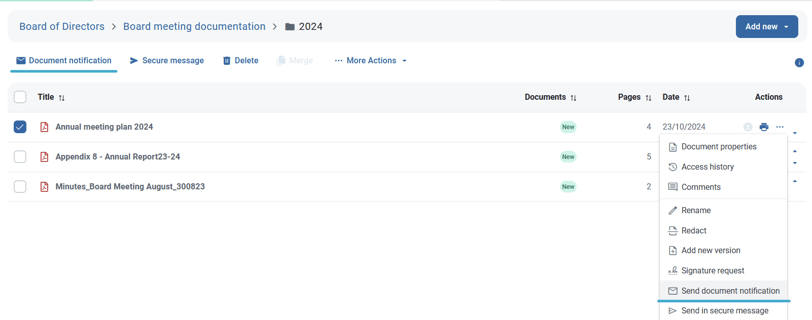
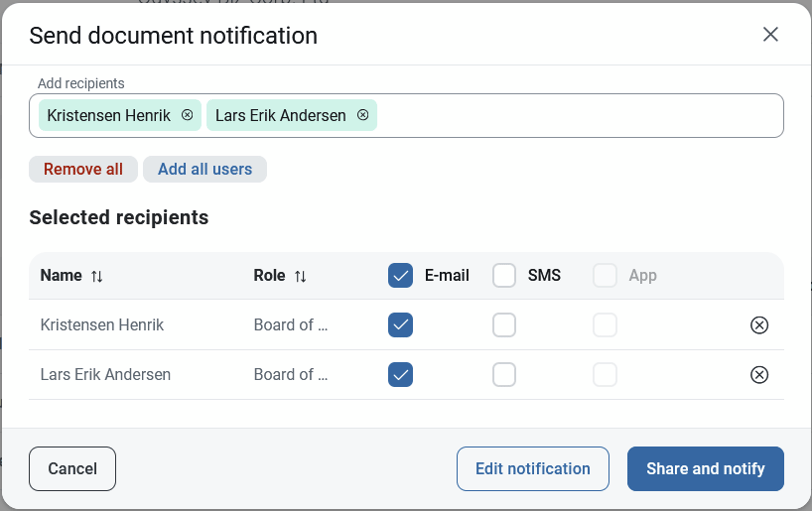
Before sending out document notifications, you must add recipients. Click on "Add recipients" to reveal a drop down menu of available users. When you select a user from this list, it will automatically opt for email notification. You can also share and notify via SMS or Push-notification if available.
Add new version
If you have versioning enabled in your portal, you can upload a new version of the same document. Under More Actions, you will have the option "Add new version"
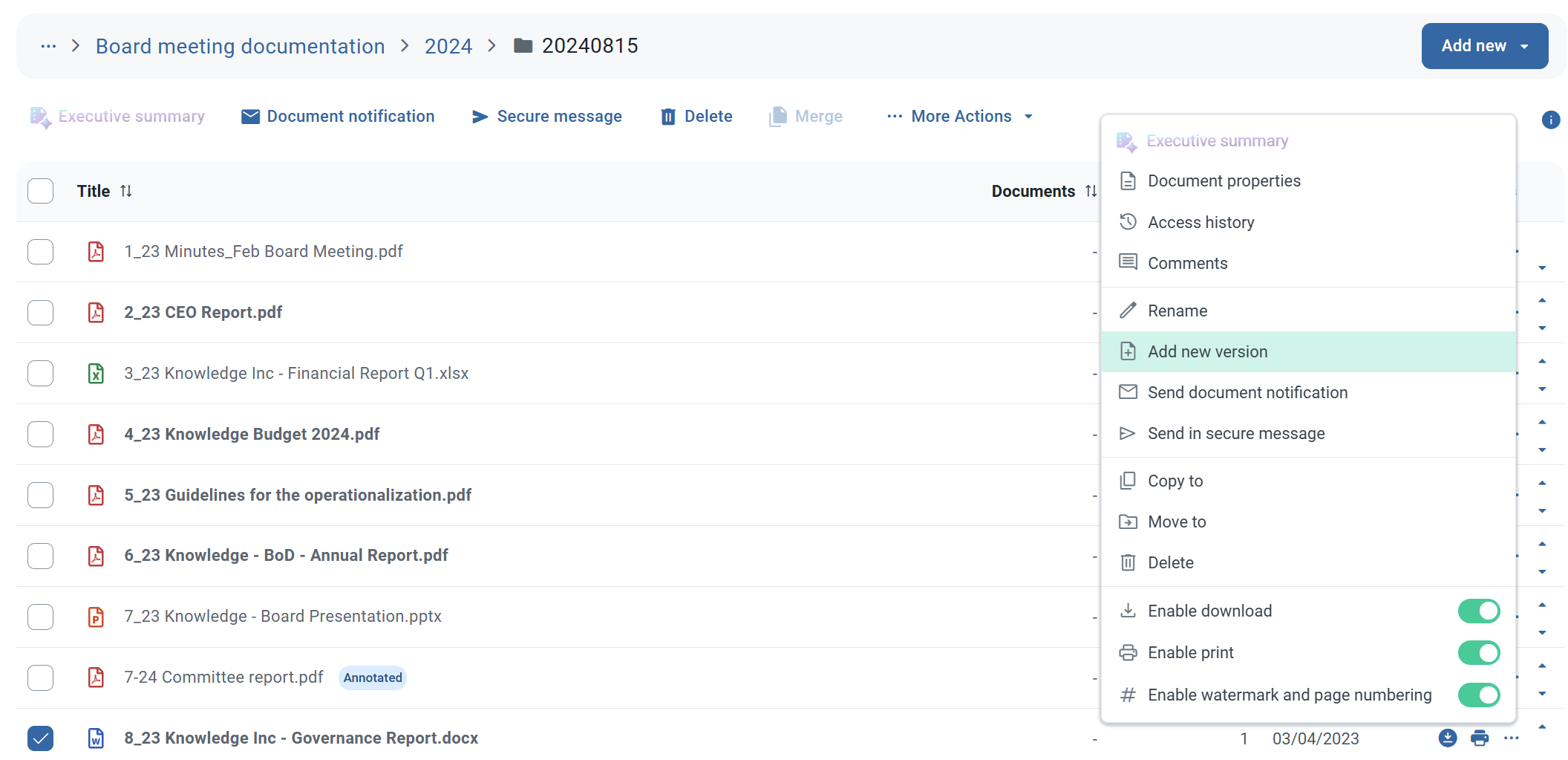
Then select the new version to upload. Note that the filetype needs to be the same to upload a new version. A comment about the new version is optional.
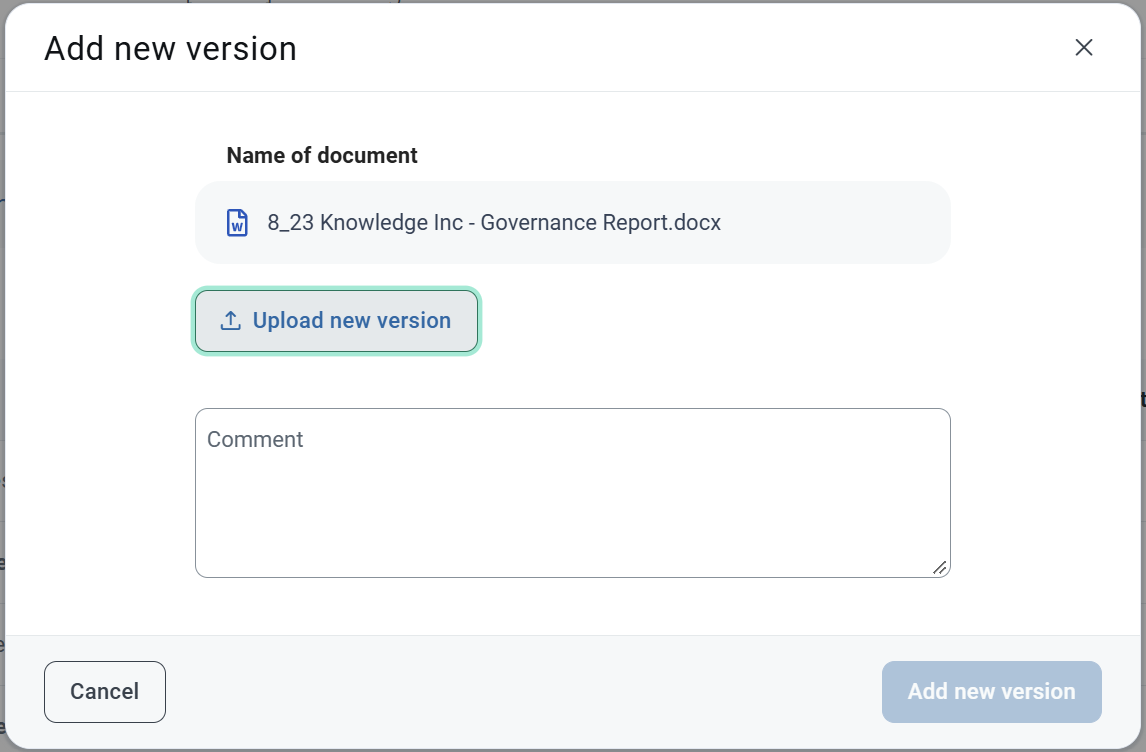
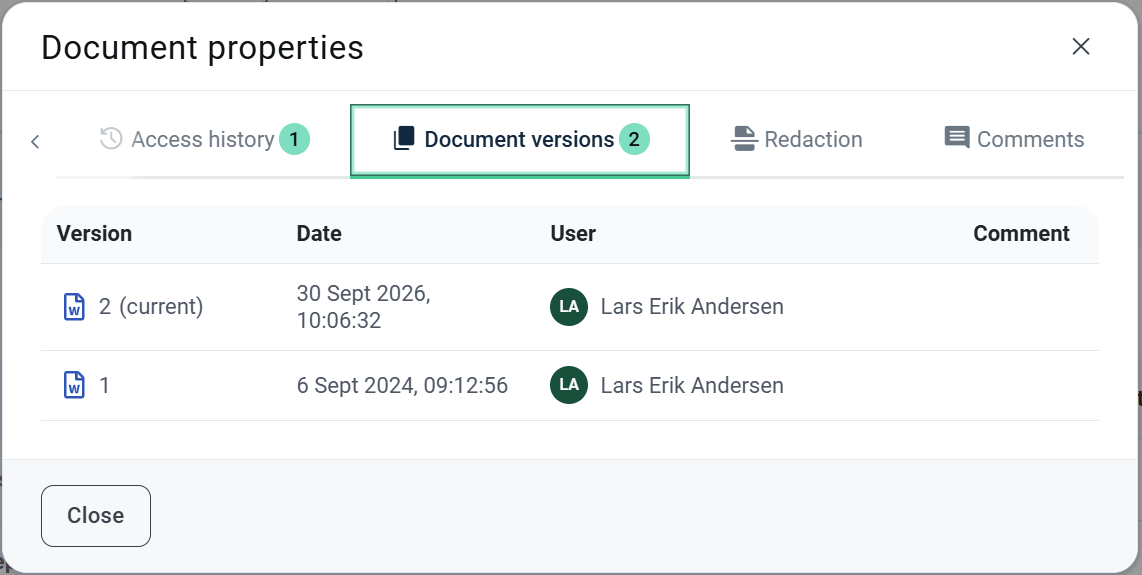
When uploading a new version, the latest version will be selected when users access the document. The previous version of the document will be available under Document properties>Document versions. Here you will also see the comment made during the upload.