
 Board Portal
 Board Performance
 M&A & Transactions



 Board Management Software
 Customer stories
 Insights
 Events & Webinars
 Security & Privacy
 Product updates





 Login
 A data room, or virtual data room (VDR), is a secure online space where companies store and share confidential documents with selected parties, most often during M&A due diligence. Compared with ordinary file sharing, it adds deal-specific controls: granular permissions, activity tracking, structured Q&A and the ability to revoke access at any time. Data rooms are also used for fundraising, restructuring, IPOs and secure document storage.
We're often asked what a data room is, how it is used and what to look for. This guide covers:
- What a data room is and what it's used for
- What goes in a data room
- The benefits of a data room
- How secure a data room is, and how it differs from cloud storage
- Essential data room features
- How to set up a data room
What is a data room?
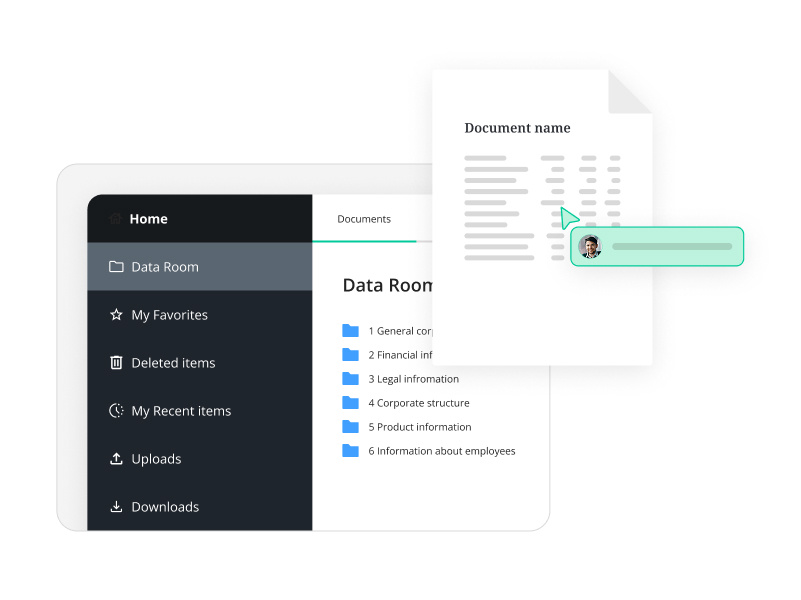
A virtual data room, often just called a data room, is an online repository for important or sensitive business information. It is the modern equivalent of the physical room where hard copies of documents were once kept for buyers to review during negotiations.
A virtual data room does the same job without printing, storage space or travel, and with encryption, access controls and audit trails that make it far more secure and accessible than paper.
A virtual data room is a secure online repository for storing and sharing confidential information with selected parties.
What are data rooms used for?
The best-known use is due diligence in a merger or acquisition. Both sides access the data room, with the seller controlling what each buyer can see. Sensitive information such as financial performance, patents and product plans is shared in a controlled way, which matters all the more if the deal is abandoned.
Data rooms are now used across the full lifecycle of a deal, and for divestitures, fundraising, IPOs, restructuring and insolvency proceedings. Many organisations also use them to store and share corporate documents internally, as a more secure alternative to email.
Who uses a data room?
Typical users include senior management, company secretaries, compliance officers, financial analysts, legal teams and external advisers such as M&A advisers, lawyers and auditors. Data rooms are no longer only for large corporates: founders and owners of start-ups and SMEs use them too, especially when preparing for investment or a sale.
What goes in a data room?
Anything relevant to the deal or project can go in a data room. For due diligence, the most common documents are:
- Financial statements, including profit and loss, audited accounts and forecasts
- Shareholder details and capitalisation table
- Partnership agreements and customer contracts
- Competitor analysis and market position
- Patent and trademark information, including past or current disputes
- Past and present legal agreements and disputes
- Board meeting minutes
- Staff structure, contracts and remuneration
- Business, marketing and sales plans
- Technical systems, software and assets
Needs vary by transaction and company. For financial or legal due diligence, start from a checklist such as our legal due diligence checklist or financial due diligence checklist.
What are the benefits of a data room?
A data room saves time and resources, speeds up collaboration and gives peace of mind on security. The main benefits are:
Enhanced security
- Documents are encrypted in transit and at rest
- Administrators set permissions by user, group, folder and document
- Contents are backed up automatically, so confidential information is never lost
- Sign-in is protected by strong authentication, including two-factor authentication
Time and cost savings
- Uploading documents electronically is much faster than printing and filing large volumes of paper
- A dashboard designed for due diligence saves admin time
- No printing, paper or physical storage, which cuts costs and environmental impact
- Collaboration with internal and external stakeholders happens in one place, with fewer emails and calls
Access from anywhere
- Teams across countries and time zones can access every document whenever they need it, securely
- External advisers, such as lawyers and investment advisers, can join the data room without compromising security
Process efficiency
- Uploading, sharing and reviewing all happen in the same environment
- Setting and changing access by user takes seconds
- Q&A and secure messaging keep communication structured and confidential
How secure is a data room?
A data room is built to protect its contents against cyberattacks and against the more common risk of human error. A leak can be frustrating at best, and a deal-breaker at worst.
In a secure data room, documents are encrypted, user permissions are tightly controlled and every action is logged. Most data rooms also require two-factor authentication. When choosing a provider, look for independent certifications and compliance such as:
- ISO/IEC 27001: the international standard for information security management
- SOC 2 Type II: independent assurance that security, availability and confidentiality controls work effectively over time
- GDPR compliance: the data room provider must meet EU data protection and privacy requirements, including where data is hosted
The Admincontrol Data Room is GDPR compliant, offers bank-grade security, is certified to ISO 27001 and SOC 2 Type II, and is hosted in the EEA, in a dedicated virtual private cloud with no public IP address. See our Trust Centre for details.
What's the difference between cloud storage and a data room?
Clients often ask whether they really need a data room, or whether general-purpose cloud storage or file-sharing tools will do. Both store files in the cloud and make them available on any device. The difference is control. File-sharing tools are built for everyday collaboration; data rooms are built for confidential transactions where you need to know exactly who saw what.
| General cloud storage | Virtual data room | |
|---|---|---|
| Built for | Everyday file sharing and collaboration | Confidential transactions and due diligence |
| Permissions | Basic sharing settings | Granular by user, group, folder and document, including view-only |
| Activity tracking | Limited | Full audit trail of views, downloads and prints |
| Q&A | Comments or email | Structured Q&A, separated by bidder |
| Revoking access | Downloaded copies stay with the recipient | Access can be withdrawn instantly, with downloads controlled |
A data room offers bank-grade security and deal-specific controls. When choosing one, look for certifications such as ISO/IEC 27001 and SOC 2 Type II.
How to choose the right data room
Choosing a data room is an important decision. Check that it has the features you need, that support is easy to reach and that pricing is clear. Consider:
- The volume and type of documents you will upload (text files need less storage than high-resolution images or technical drawings)
- The number of users who need access
- How easily you can add storage or users later
- How many deals or projects you expect over a given period
- Whether pricing is transparent, with no hidden fees
Essential data room features
Data rooms vary in functionality, but some features are essential for a successful due diligence, and most bring benefits beyond M&A too.
Secure messaging
Internal messaging inside the data room is far more secure than email for discussing confidential documents. It reduces the risk of leaks and saves users from switching between applications.
Task manager
Administrators assign reading and upload tasks to internal and external users. A good task manager gives a complete view of every task, who it is assigned to and its status, which makes following up on deadlines much easier.
Q&A tool
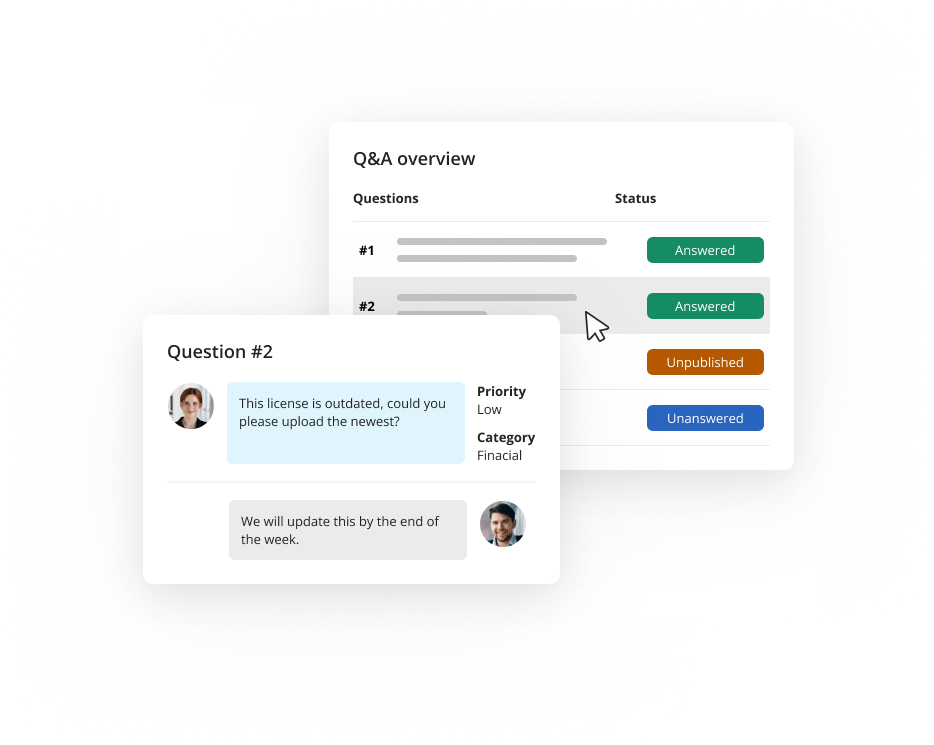
Once third parties join, a Q&A tool structures the discussion between buyer and seller. Buyers raise questions based on the documents, and the administrator assigns them to the right person on the seller side. Each bidder has a separate Q&A, so information never crosses between them.
Redaction tool
Removing sensitive information by hand is slow and easy to get wrong. A redaction tool lets users black out information reliably, either instance by instance or by searching for a keyword and redacting every occurrence at once.
Annotation tool
Private notes on documents help reviewers collect thoughts and questions. The best annotation tools keep notes visible only to their author, even when others are viewing the same document.
Flexible user permissions
Granular permissions, customisable by role, folder, document and activity, are essential whether the data room is used for due diligence, fundraising or internal file sharing.
Email notifications
Notifications about tasks, Q&A threads, uploads and deadlines keep everyone on track. Users should be able to set how often they receive them.
AI features
AI can remove hours of manual work from due diligence, for example by finding information across thousands of documents or summarising long files so reviewers know where to focus. Admincontrol offers AI search and AI executive summaries in the Data Room, designed around responsible AI so that confidential deal data stays protected. Read more in Is AI safe for board and M&A due diligence?
Activity reports
Administrators need to know who did what, and when. Activity reports show which documents were viewed, downloaded or printed, which is especially important once third parties are in the data room.
24/7 support
Deals don't keep office hours, and teams often work across time zones. Support that is available 24 hours a day, every day of the year, is an important factor when choosing a provider.
The most important data room features to compare are Q&A, task management, customisable user permissions, secure messaging and activity reports.
How to set up a data room
Once you have chosen a provider, setting up a data room usually takes five steps:
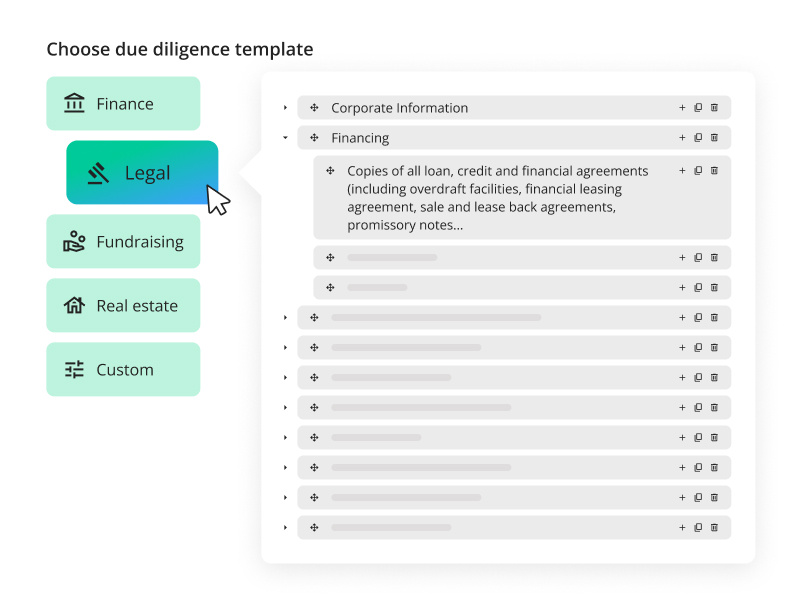
- Create your folder structure. Most data rooms help by generating a template structure for the type of project, such as fundraising or legal or financial due diligence, which you can then adjust.
- Index your folders. A data room index works like a book's table of contents, listing each folder and its contents so users find documents quickly.
- Upload documents into the folder structure.
- Set user permissions. Decide who has admin rights, which users should have restricted access to certain folders or documents, and what a buyer or third party can see.
- Assign tasks for uploading and reading documents to your team and advisers, and later to third-party users.
With Admincontrol, a data room can be open the same day and fully structured in under an hour.
What is a preparation data room?
A preparation data room is a data room used internally before third parties are invited in. It helps an organisation get ready for due diligence, uploading documents systematically without the pressure of deadlines. Admincontrol's Preparation Portal is built for exactly this stage.
We are often asked how early a data room should be opened. Our answer is always the same: it's never too early. Preparing documents in advance means you are ready to manage the process and the buyer's questions efficiently. Many organisations also keep a data room running permanently for secure file sharing, records storage, project management or investor relations.
Inviting third parties
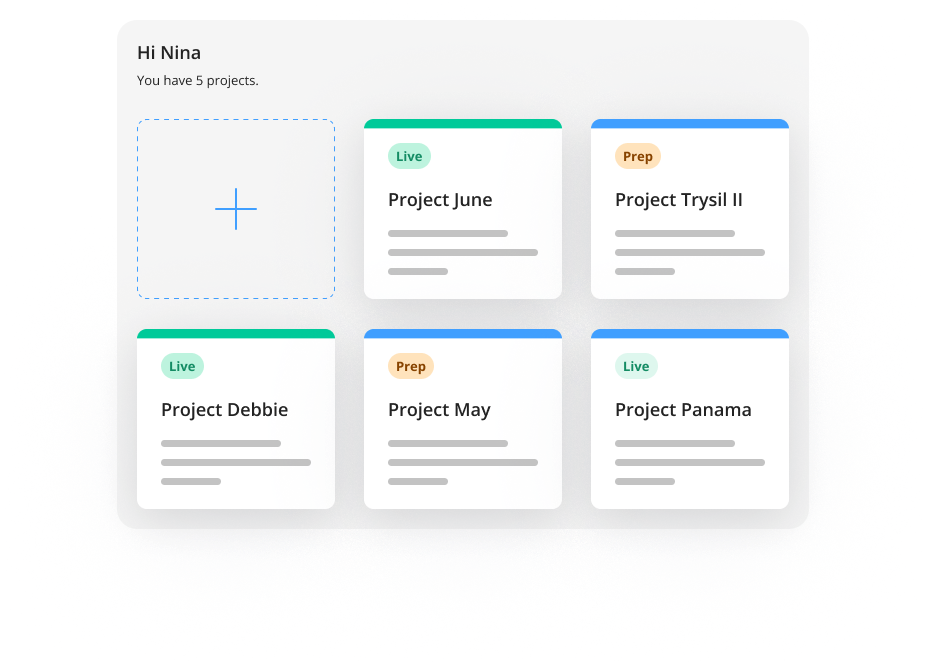
Once the folder structure is in place and documents are uploaded, the buyer or other third parties can be invited. They see the same dashboard, but only the folders and documents the administrator has given them access to. They can then use the Q&A to ask questions, which forms the core of data room due diligence.
Closing a data room
When the deal closes or the project ends, administrators should be able to export the contents easily, for example as an encrypted archive. Keep it securely, so it can be uploaded again if another due diligence process starts.
Frequently asked questions about data rooms
What is the difference between a data room and a virtual data room?
Today, the terms mean the same thing. "Data room" originally referred to a physical room of paper documents; a virtual data room is its secure online equivalent, and most people now use the two terms interchangeably.
Is a data room the same as cloud storage?
No. Both store files online, but a data room adds controls designed for confidential transactions: granular permissions, full audit trails, structured Q&A separated by bidder and the ability to revoke access instantly.
How much does a data room cost?
Pricing depends on the provider, the size of the project and the number of users. With Admincontrol, pricing is transparent and known when the data room is opened, with no hidden fees. See data room pricing.
How long does it take to set up a data room?
With templates and automated folder structures, a data room can be ready within hours. Uploading and organising documents takes longer, which is why it pays to start early with a preparation data room.
In summary
Virtual data rooms make due diligence, and corporate document management more broadly, faster and more secure. They are sophisticated but user-friendly, with advanced features and security as standard.
Choosing the right data room means thinking about how your organisation will use it, which features matter most and how it will save time, effort and money. That planning pays off once the pressure of a deal begins. Look for a provider that supports you for the whole lifetime of your data room, with 24/7 support and a platform that adapts as your needs evolve.
To see how it works in practice, book a free demo of the Admincontrol Data Room.