Boards & Governance

Admincontrol gives boards, chairs, and governance teams the tools to run structured meetings, make documented decisions, and stay secure.

product-banner-boardportal
Better Board Decisions, Less Admin

Enhanced with AI features to simplify workflows, surface key insights, and keep your board ahead of the curve.

surveys
Enhance your Board with Actionable Insights

Effortlessly distribute surveys, track participation and gain valuable insights to optimise your board's effectiveness.

AMC2256_Board-portal_Animation-SQUARE_260126-1
A Smarter Way to Evaluate Board Collective Suitability

Go beyond compliance and unlock strategic value. No more spreadsheets or consultants.

BM_Illustration_Asset_Ext (1)

Recently released

M&A & Transactions

Manage due diligence with precise control over who sees what, less manual admin, and 24/7 support.

05 investor decision making
Due Diligence Optimised

Europe’s leading M&A data room gives you greater control with less effort—backed by exceptional 24/7 customer support.

04 folder wizard
Prepare a Successful Due Diligence and Transaction

The pre-due diligence data room helps you easily organise and prepare for due diligence ahead of time.

Project overview
Create and manage all data rooms in one place

Deal Hub combines self-service and project management to make operations for M&A teams and advisors easier.

Q&A with text

Recently released

Good governance start's here

More than 7500+ companies and more than 140 000 board members and executives trust Admincontrol.

Book a 15 minute call

Get in touch with our sales representatives so we can better understand how to accommodate your needs

Secure transactions start's here

Trusted in more than 10.000 M&A transactions

In need of a custom deal?

Get in touch with our sales representatives so we can better understand how to accommodate your needs

Success stories

Our customers are at the heart of everything we do. Explore their journeys and see how we’ve helped turn challenges into lasting success.

people look at ipad

More valuable articles here

Explore the latest insights on board governance, M&A and strategic transactions, and board trends. Stay ahead with emerging trends, key predictions, and expert knowledge to drive strategic success.

Community & Learning

Stay up to date with our upcoming events, webinars, and participation in external conferences.

styreledermiddagen2026_mari

Webinar ad (Presentasjon) (1)

Security & Privacy

Learn more about how we keep your data secure, private, and handled responsibly, because trust is at the heart of everything we do.

AdminControl-134

Untitled design (1)-Jul-03-2026-06-32-50-9626-AM

Product updates & news

Stay up to date on our latest product updates and news

In the spotlight

How to answer questions and follow-up

The Q&A module ensures confidentiality and manages interactions between buyers and sellers based on the following principles:

  • Folder-Specific Questions: Each question is linked to a specific folder.
  • Confidentiality for Buyers: Different buyer groups cannot view each other's questions and answers.
  • Seller Visibility: Seller-side users have the ability to see all questions from every buyer group.
  • Roles in Q&A: Buyers can submit questions, while sellers are responsible for providing answers.

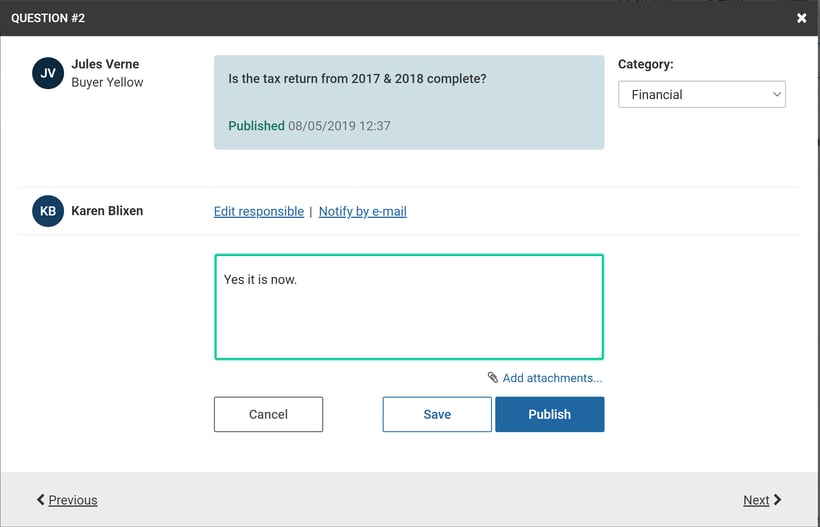
Answering a Question

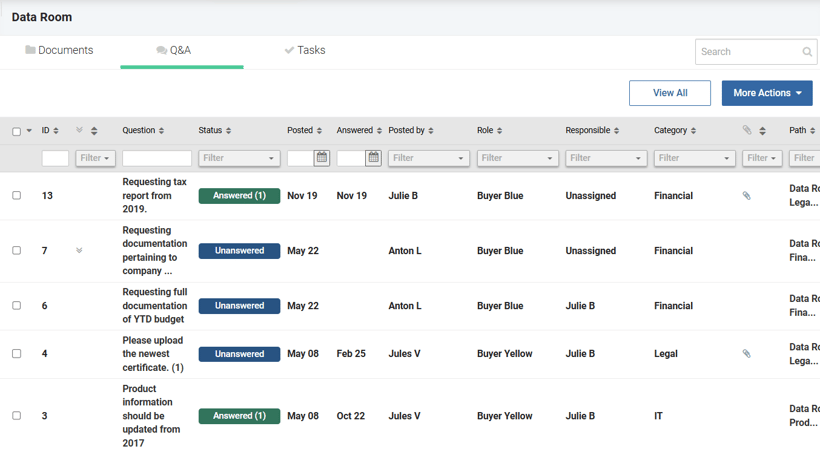
In the Q&A tab, you’ll find a comprehensive list of questions submitted by buyers. Click on a question to provide your answer.Click on a question to provide your answer
Answer question


  • Adding Attachments: You can attach files to your answer if needed. Select an existing attachment from the relevant folder or upload a new one.
    When uploading a new attachment, decide whether it should be available to all buyer groups or only to the group that asked the question.
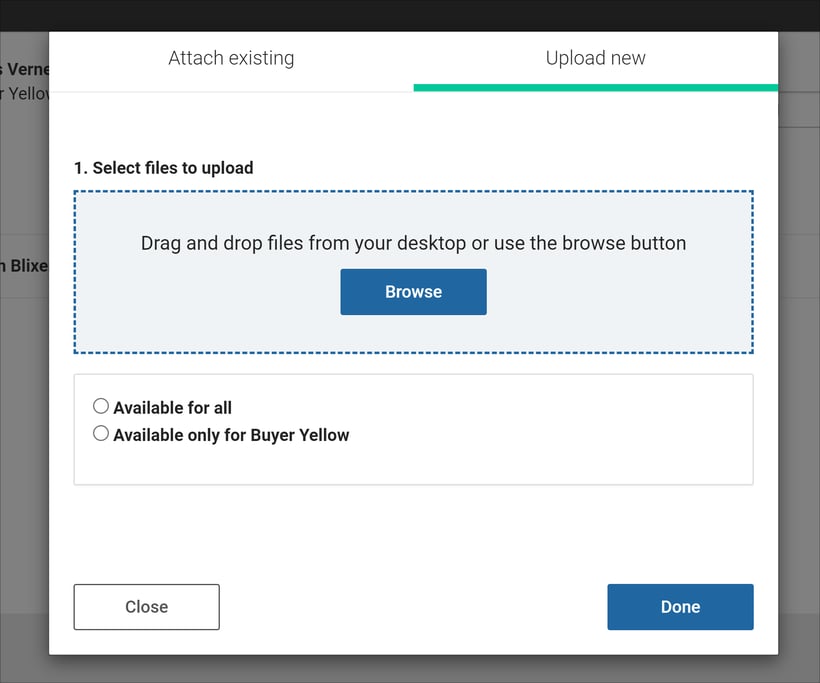
Add attachements

Managing Follow-Up Questions

Once an answer is posted by the seller, buyers have the opportunity to ask follow-up questions related to the initial query.

  • Status Update: If a follow-up question is asked, the status changes to "Unanswered," prompting a further response from the seller.
  • Limiting Follow-Ups: The portal administrator has the option to deactivate follow-up questions if necessary.
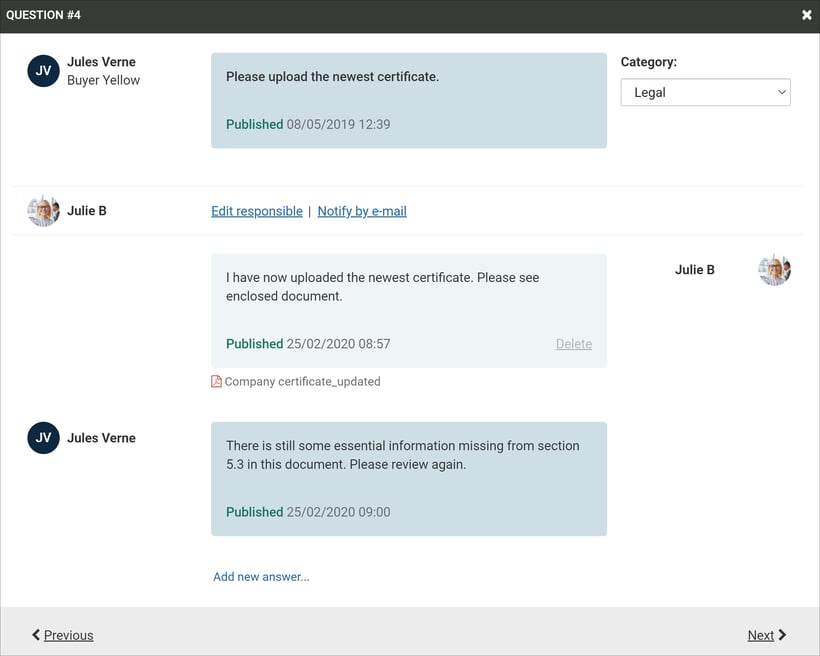
Managing follow up questions